What should you do when a guest leaves a review meant for a different business? Reply in public within a day, report it to the platform, then fix the reason guests mixed you up. In our coaching, that reason is often a name that looks like someone else’s.
- Check the review belongs to someone else
- Reply in public, calmly
- Report it on Google
- Report it on Tripadvisor
- Stop guests and AI mixing you up
Check the review belongs to someone else
Confirm it before you do anything. Search your booking records for the reviewer’s name and the dates they mention. Our post on replying to Google reviews with stars but no text starts the same way.
A review for the wrong business often gives itself away. Look for:
- A room type, tour or meal you don’t offer.
- A staff name nobody on your team has.
- A street, beach or town that isn’t yours.
- Dates when you were closed.
- A complaint about something you don’t have, such as a spa bath at a property with showers only.
Then search the platform for businesses with names close to yours. If one sits nearby, you’ve likely found where the review belongs.
Write down what you found. You’ll use it in your reply and your report.
Hypothetical example. Wattle Creek Farmstay gets a one-star Google review. It complains about a broken spa bath and a missing breakfast hamper. The farmstay has no spa baths and doesn’t do hampers. The owners search their bookings and find no guest by that name. Ten kilometres away sits a business called Wattle Creek Cottages, which advertises both.
Reply in public, calmly
Reply within 24 hours, the same time our Online Reputation Management course sets for any negative review. Say plainly that you have no record of the stay and that the review describes things you don’t offer. Then invite the guest to contact you.
Your reply has two readers. The guest gets a notification when you reply. Google says customers are able to change their review after reading it. Every future guest reads it too. So do AI tools, in our experience. ChatGPT, Gemini and Google’s AI Overviews read reviews and replies when they describe a business.
Keep it short and factual:
Thanks for taking the time to write this. We’ve checked our bookings and found no stay under your name. We don’t have spa baths or offer breakfast hampers, so this sounds like another property nearby. If you did stay with us, please call us on [phone] and we’ll put it right. Jo and Sam
That reply does four jobs. It corrects the facts for future guests. It gives the reviewer an easy way to move the review. It stays polite. And it leaves room in case you’re wrong.
What to leave out:
- No accusations. Tripadvisor’s management response rules say “No accusations of review fraud.” The guest made a mistake. They didn’t lie.
- No guessing who they are. Tripadvisor also says “No speculation as to the identity of the reviewer.” Leave out names, dates and anything private.
- No naming the other business. Our view: a reply that points at a competitor reads like a dig, even when it’s true.
- No sales pitch. Tripadvisor’s response rules say “Please don’t include commercial or promotional content of any kind.”
Don’t delete your profile or close it to start fresh. In our coaching we’ve seen operators tempted to do this after a bad run of reviews. A profile with an imperfect history still beats an empty one.
Report it on Google
Report the review, and expect Google to decide it against its own policy, not your evidence alone.
Google’s position is clear. “You can report any review, but only those that violate Google policies are eligible for removal.” It also says “Do not report a review just because you disagree with it or dislike it.”
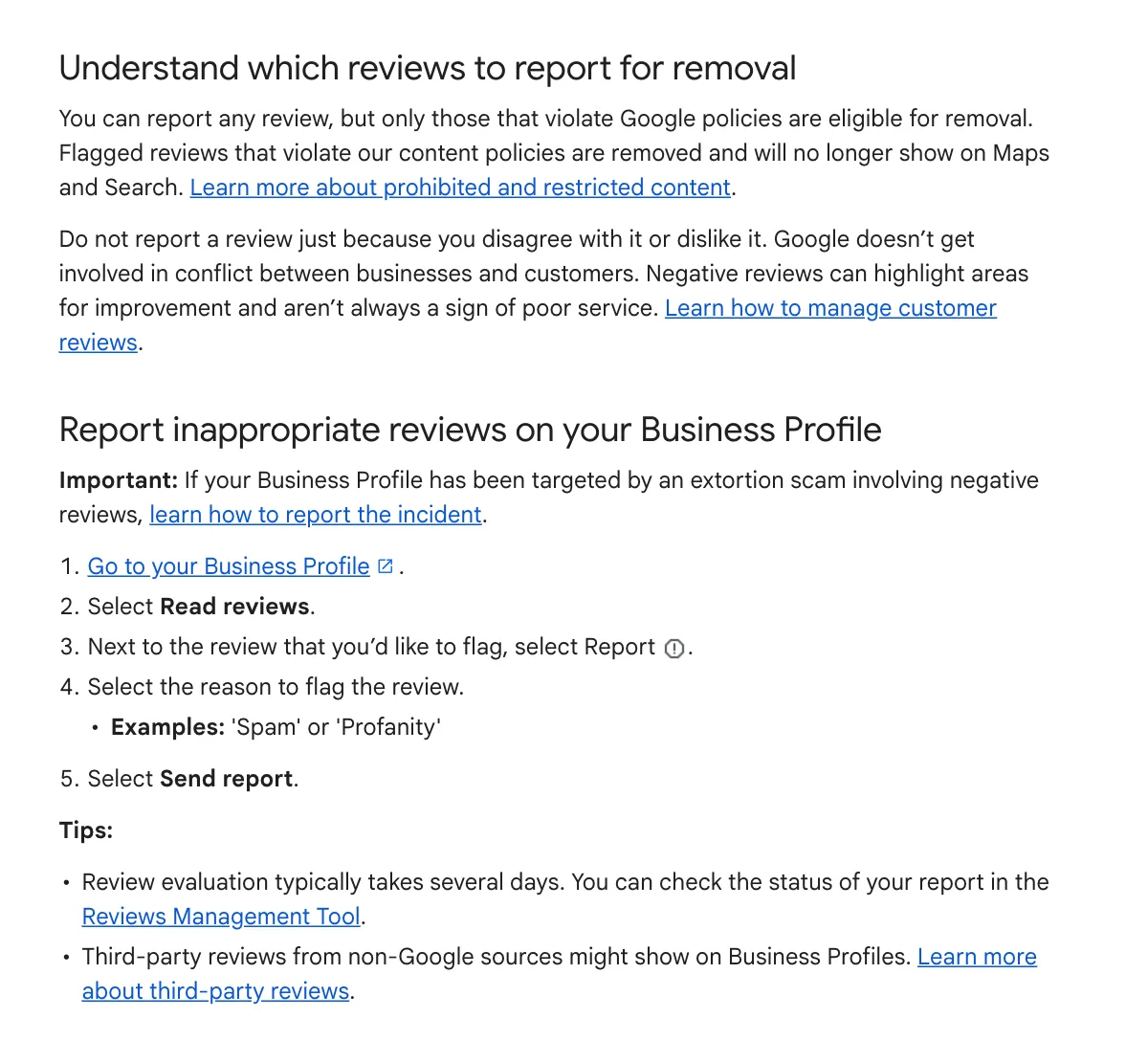
A review for the wrong business does break a policy, in our reading. Google says “a review or rating should reflect an actual experience with a business.” Its fake engagement rules include content that “does not accurately represent the location or product in question.” Its off-topic rule says “Only post content that is based on your experience or questions about experiences at a specific location.” A stay at someone else’s property is none of those things.
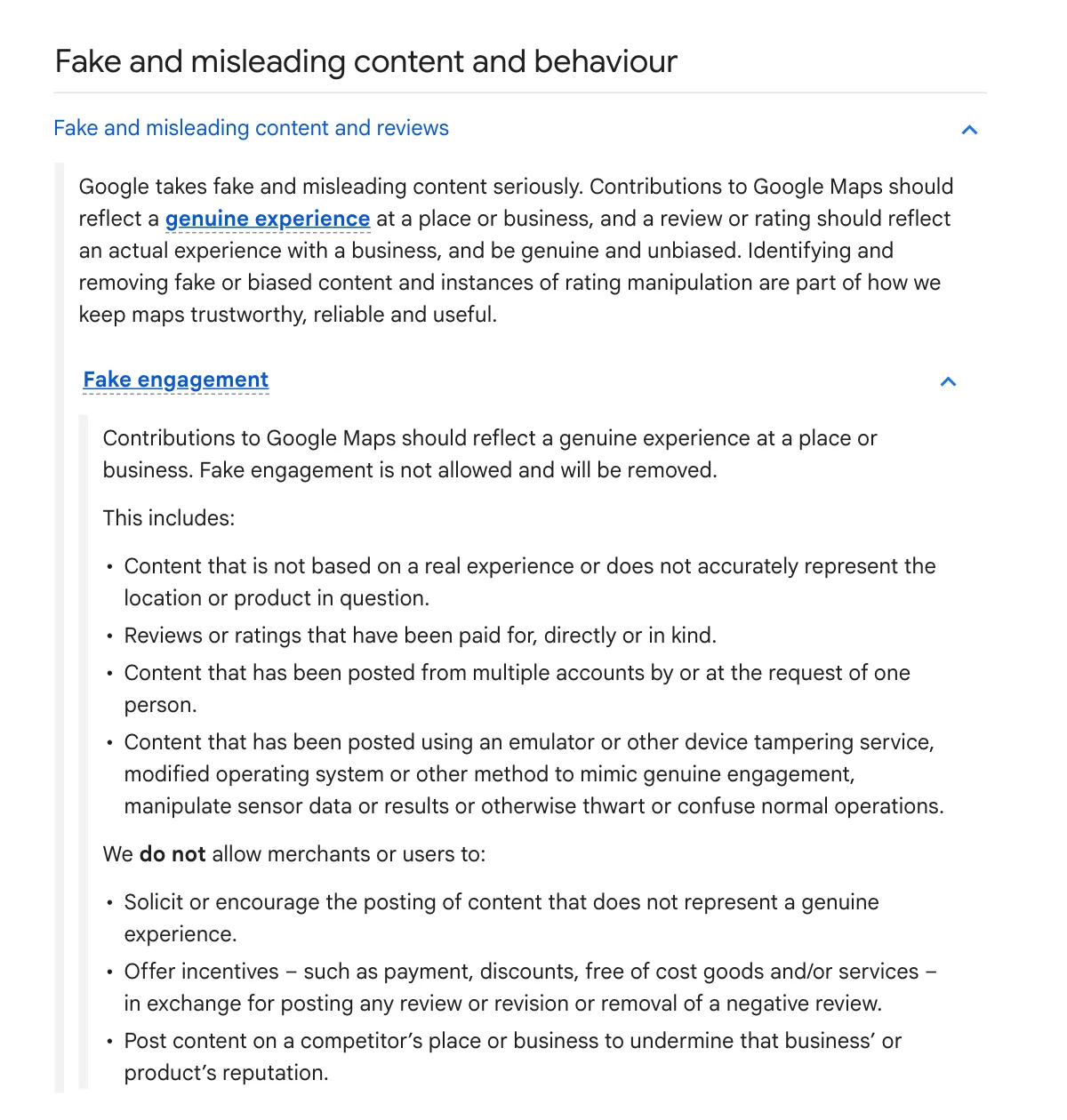
Google’s steps to report a review:
- Go to your Business Profile.
- Select Read reviews.
- Next to the review, select Report.
- Select the reason that fits best.
- Select Send report.
Google says “Review evaluation typically takes several days.” Track it in Google’s Reviews Management Tool. The status shows “Decision pending” while it waits.
If the status says Google found no policy violation, you get one more go. Google offers a one-time appeal through the same tool, for up to 10 reviews at a time. Use it, and keep your notes from the first step at hand.
Run more than one location yourself? A review on the wrong profile of your own business needs a different fix. Read how to collect reviews for each Google profile.
Report it on Tripadvisor
Report it through Tripadvisor’s reporting function on the review, and give your reasons.
In our reading, Tripadvisor’s review guidelines support you. They say a review “should be an honest account of a traveller’s personal experience at or with a property.” A stay at another property isn’t an experience with yours.
Tripadvisor’s guidelines point owners to “the reporting function on our site” for reviews written by an owner or competitor. Our advice is to use the same function for a review that belongs to another business. Explain what your booking check found. No stay under that name. Details that belong to another business. Haven’t claimed your listing yet? Our guide to updating your listing on Tripadvisor, Google and the Australian Tourism Data Warehouse (ATDW) shows how.
Post your public reply as well. Keep it inside Tripadvisor’s response rules. No accusations and no guessing who wrote it. No links unless they relate to the review, and no lists or bullets.
Stop guests and AI mixing you up
Use one name, character for character, on every listing you have. Mix-ups start when your name looks like someone else’s. They also start when your own name changes from one platform to the next.
In our experience, AI tools compare your name across platforms to work out which business is which. A name that differs on Google, Booking.com, Instagram and your website reads to them as possibly two businesses. A guest who searches for you hits the same confusion.
Work through this list:
- Pick one trading name. Use it on your website, Google Business Profile, Tripadvisor, Booking.com, ATDW, Facebook, Instagram, Apple Maps and Bing. Our guide to registering on Apple Maps and Bing covers those two.
- Keep the name field clean. Only your trading name goes in it. Descriptors like “luxury” or “pet-friendly” belong in your description and services. Our post on writing your Google Business Profile description with AI shows how.
- Add detail that separates you. If your name is close to a neighbour’s, make your description specific. Name your room types, what’s included and what’s nearby, in plain words.
- Put your name and review link in every guest email. Send your own profile’s review link in your thank-you email. Guests then land on the right business.
- Check your signage. Make sure your gate sign, your booking confirmation and your listings all carry the same name.
Then test what AI says about you. Our guide for Airbnb hosts sets out the method. Open ChatGPT, Gemini and Perplexity in a private browser window. Ask about your business by name and town. Click the sources each one cites, and note whether it mixes you up with the other business. Save the answers and run the same questions in three months.
AI tools don’t know you at all? Read why ChatGPT doesn’t know your business exists for the most common causes.
Back to the hypothetical farmstay. The owners reply to the review within a day and report it to Google. They check every listing. Booking.com says “Wattle Creek Farm Stay” and everywhere else says “Wattle Creek Farmstay”, so they fix Booking.com. They add “two farmhouse rooms with showers, breakfast not included” to their Google description. And they put their own review link in every checkout email.
Frequently Asked Questions
Will Google remove a review for the wrong business?
Only if Google decides it breaks a policy. In our reading, a review for the wrong business fits Google’s rules on fake engagement and off-topic content. Report it from your Business Profile and track the decision in the Reviews Management Tool.
Should I reply to a review for the wrong business or only report it?
Do both. Reporting takes “several days”, according to Google, and the outcome isn’t certain. A calm public reply corrects the facts for future guests straight away, and the guest gets a notification. Our guide to replying to Google reviews covers tone and length.
What if Google says the review doesn’t break its policies?
Submit Google’s one-time appeal through the Reviews Management Tool. You get one appeal per review, for up to 10 reviews at a time. If the review stays, your public reply is what future guests read, so make it clear and polite.
Should I contact the other business?
Our view is yes, with a friendly call. If guests confuse the two of you, the mix-up likely runs both ways. Never post on their profile to make a point. Google bans merchants from posting “on a competitor’s place or business to undermine that business’ or product’s reputation.”
Is it okay to ask the guest to move their review?
Yes, in your public reply. The guest gets a notification when you reply. Google says customers are able to change their review after reading it. Keep the request polite and give them a phone number or email to reach you.
Why do guests keep confusing my business with another one?
In our coaching, it’s often because the names look alike, or because your own name differs across your listings. Use one trading name everywhere, keep descriptors out of the name field, and send guests your own review link. AI tools compare names across platforms too, so the same fixes help them tell you apart.
Conclusion
Treat a review for the wrong business as a guest’s mistake to correct. Check your bookings, reply calmly in public, and report it to the platform. Then audit every listing this week so your name matches everywhere and your review link goes to your own profile.
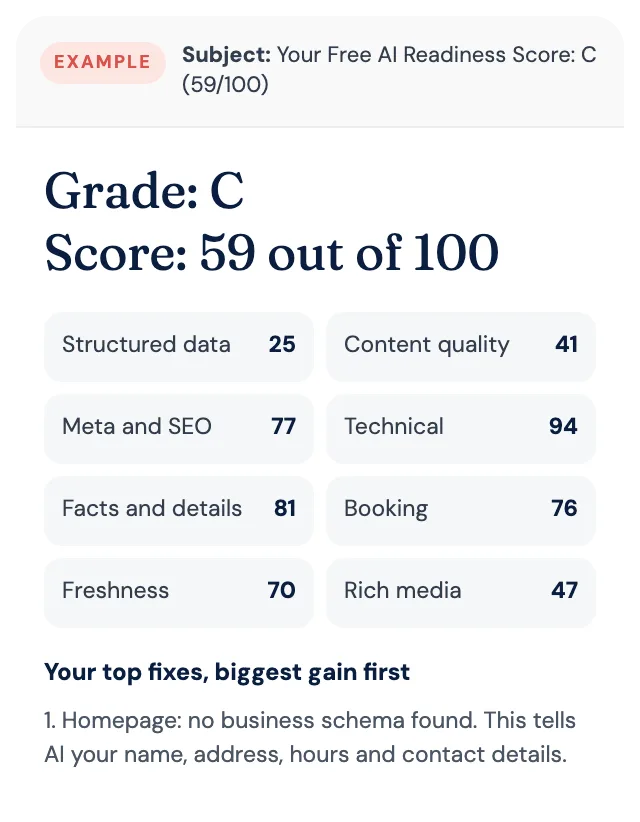
Free AI Readiness Score
How well does AI read your website?
Get your grade, a score out of 100 and your top fixes, by email. Free for tourism operators. No login and nothing to install.