
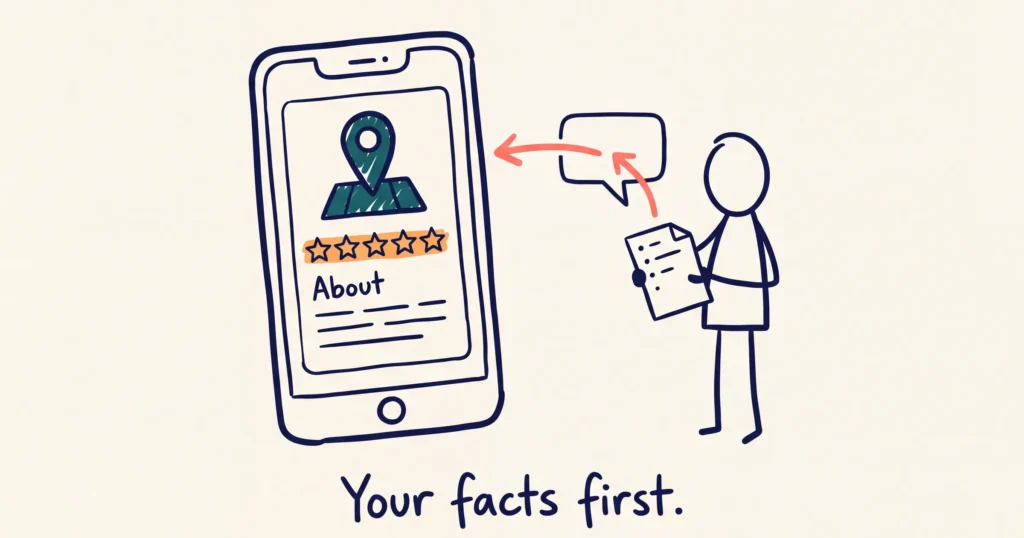
Give the AI your own business facts first. Then give it a clear prompt with Google’s rules in it. Then edit the draft for your voice and check every detail before it goes on your profile. ChatGPT and Gemini both write a usable Google Business Profile description and services list this way.
Skip the facts and you get the same description every other operator in your region gets. Sunsets. Unforgettable experiences. Hidden gems.
The profile matters more than it did. In our testing, Google AI Mode usually sends travellers to the Google Business Profile, not the website. Your description and services are the words it reads.
QUICK LINKS:
- What should you give the AI before it writes anything?
- What prompt writes a good Google Business Profile description?
- How do you write your Google Business Profile services with AI?
- How do you make the AI draft sound like your business?
- What should you check before you post it?
- How do you keep your description and services current?
What should you give the AI before it writes anything?
Give it a fact sheet. A thin prompt produces generic copy. A prompt full of your own facts produces something you’ll use.
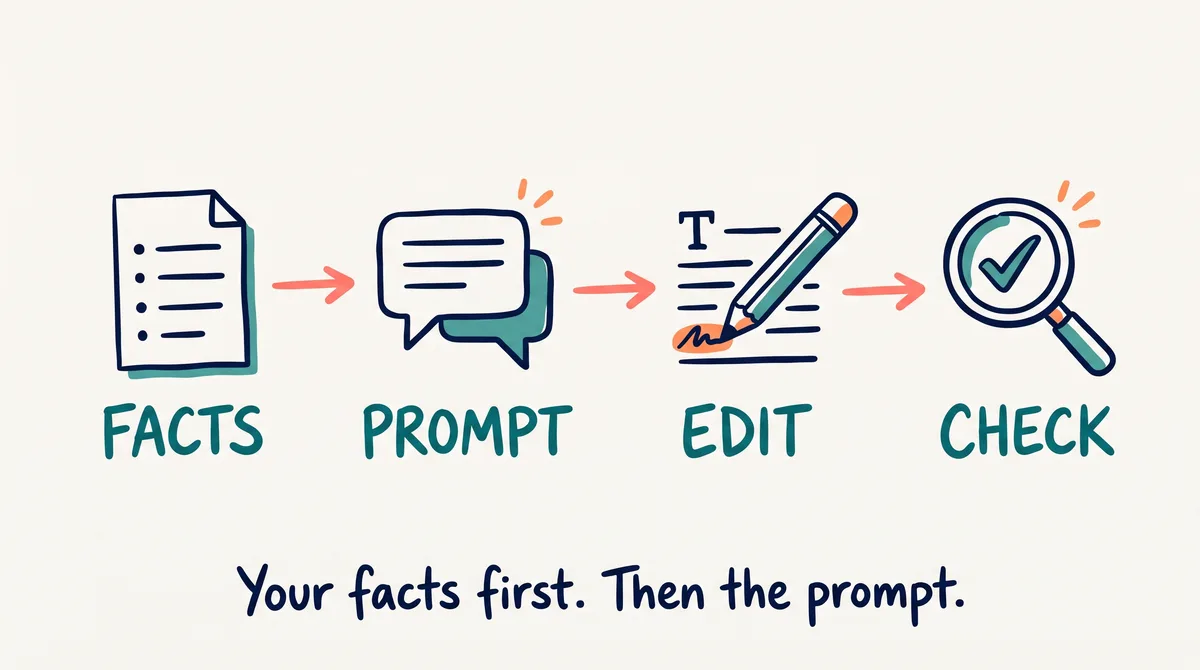
Open a document and write these down in plain words. Dot points are fine.
- What you are and where. Your business type, your town, and the nearest place travellers fly into or drive from. Many visitors search by the gateway city, not your town.
- What people book. Every tour, room type, hire item or class, with its duration and who it suits.
- What makes you different. The thing guests mention that competitors don’t have. A rare licence. A family farm. A guide who grew up on the river.
- Trust signals. Years operating, awards, how you make or source things.
- Two or three real reviews. Copy recent five-star Google reviews. The AI picks up the words guests use about you.
- What to leave out. Anything you no longer offer, and any claim you have no proof for.
The reviews are a brief, not copy. Let the AI learn the themes from them. Don’t paste review sentences into your description.
This fact sheet is the short version of a voice DNA document. If you already have one, paste it in too. Our post on why AI content sounds like AI shows how to write one on a single page.
Hypothetical example. A small-group winery tour runs from a country town 90 minutes from the nearest airport. Its first prompt was “write my Google description”. The draft talked about “breathtaking vineyards” and “memories to last a lifetime”. The second prompt carried a fact sheet. Six guests per tour. A five-hour day. Pick-up from the airport hotels. A fourth-generation grape grower as the guide. The second draft named the town, the airport, the group size and the guide. A traveller asking their phone for a “small group winery tour from the airport” now has words to match.
What prompt writes a good Google Business Profile description?
A good prompt holds your facts, Google’s rules and the tone you want. Paste the prompt below into ChatGPT or Gemini, then paste your fact sheet under it.
You are writing the business description for my Google Business Profile. Use only the facts I give you. Don’t invent anything.
Rules:
- 750 characters or fewer, including spaces.
- Say what we offer and where in the first 250 characters.
- Plain text. No links, no web addresses, no emojis.
- No prices, sales or special offers.
- Australian English.
- Use the words a traveller says out loud when they ask their phone, like “dinner cruise on Sydney Harbour”, not “harbourside dining experience”.
Give me three versions. Before you write, ask me questions until you’re sure you understand the business.
My facts: [paste your fact sheet]
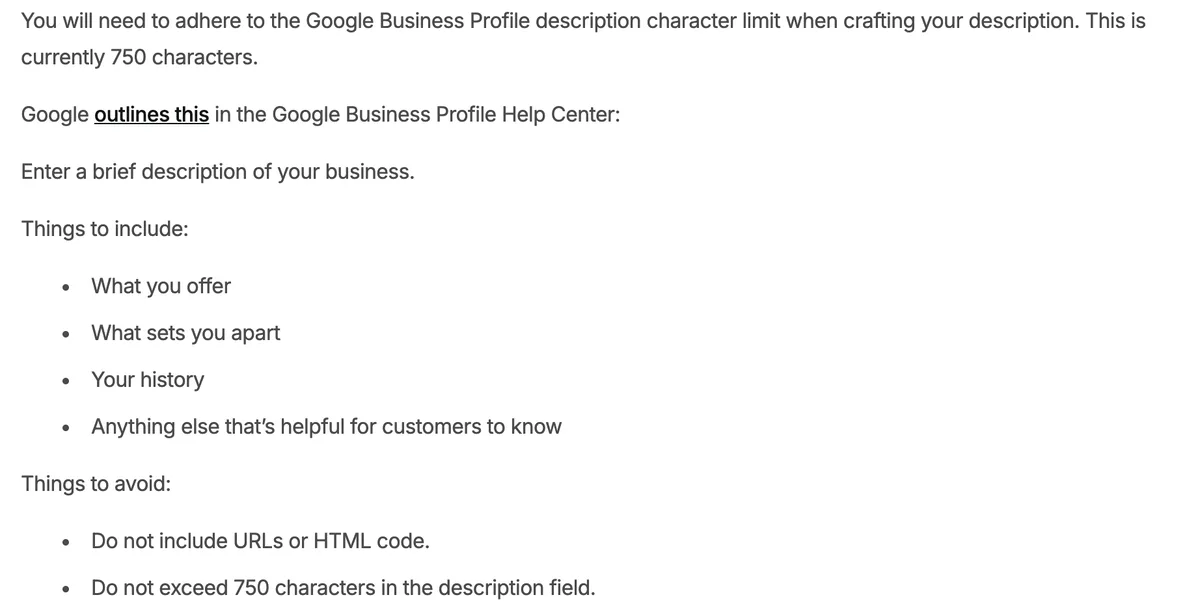
The rules come from Google’s guidelines, as BrightLocal quotes them. The description field allows 750 characters. Only the first part shows before a traveller taps to read more, so the important words go first. Google’s guidelines rule out URLs, HTML, links of any type, and a focus on promotions, prices or sales. Special offers belong in a Google post.
Google’s list of what to include is short. What you offer, what sets you apart, your history, and anything else that helps customers. Your fact sheet already covers all four.
Which tool? Either works when it has your facts. We lean towards Gemini for Google profile work because it’s Google’s own tool. Use the one you already know.
Ask for three versions because the first is rarely the best. Pick the strongest. Then compare it with your current description and keep the best lines from each.
If you run several Google profiles, write a separate description for each one. Each profile describes one business or location. Our post on collecting reviews across several Google profiles covers how to keep them apart.
How do you write your Google Business Profile services with AI?
Write one service for each thing a customer books or pays for, with a clear, specific name. The services section often gets skipped. Local SEO testing suggests Google uses services to match you to searches.
Stay in the same chat, so the AI keeps your facts. Then paste this:
Using the same facts, write the services list for my Google Business Profile.
- One service for each thing a customer books or pays for.
- Give each a clear, specific name a traveller would search for. “Half-day guided kayak tour”, not “Adventures”.
- Under each, write two or three sentences: what it is, how long it takes, who it suits, where it starts.
- Plain text, Australian English.
- If you’re unsure about a detail, flag it. Don’t guess.
Add each service in your profile, and use your own service names where Google’s suggested list misses one.
Where do tours go? Tours and activities belong under Tickets, Attractions or Activities. The Products section is for merchandise and physical goods. Our Google Business Profile recap explains why listing tours that way improves their eligibility for Google’s Things to Do carousel.
The same chat also checks your categories. Ask: “What are the most relevant Google Business Profile categories for a [business type] in [town]?”
Compare the answer with Google’s list before you change anything.
How do you make the AI draft sound like your business?
Read the draft out loud and change anything you wouldn’t say to a guest. AI gives you most of the draft. The last part, the part that sounds like you, comes from you.
Look for these:
- Generic words. “Unique”, “unforgettable”, “hidden gem”, “nestled”. Swap each one for a fact. “Six guests per tour” beats “intimate experience”.
- American spelling. Colour, organise, centre. Ask the AI to rewrite in Australian English if it slips.
- Keyword stuffing. The same phrase three times reads badly to travellers. Say each thing once, plainly.
- Your name for things. Your guests call it “the sunset paddle”. Don’t let the AI rename it “twilight kayak adventure”.
Specific named details beat generic descriptions. They give AI tools something to match to a traveller’s question, and they suit small operators. Nobody else has your guide, your boat or your river.
If the draft still sounds wrong, fix the brief, not only the draft. Add a line to your fact sheet (“we never use exclamation marks”) and run it again.
What should you check before you post it?
Check every fact against your own records. AI invents details. It quotes old prices, adds a tour you stopped running, or puts you in the wrong town.
Run through this list before you paste anything into your profile:
- Names and places. Your business name, town, departure point and gateway city are right.
- What you offer. Every tour, room or service mentioned still runs. Nothing is missing.
- Numbers. Durations, group sizes, years operating and awards match your records.
- Google’s rules. No links, no web addresses, no prices or offers in the description. Under 750 characters.
- Reviews. No sentence lifted from a review.
- Spelling. Australian English throughout.
- The guest test. Ask yourself, “Would I say this to a guest?”
Then paste the final version into your profile. The same seven checks apply to the services list.
Hotels get no description field to edit. We checked 21 accommodation listings. Every one with a Google hotel star class showed Google’s own description or none. Put the same copy on your website instead, on the home page and about page.
How do you keep your description and services current?
Save your setup so the next update starts from your facts, and check the profile every quarter. Update straight away when you add or drop a tour.
Put your fact sheet, voice notes and both prompts in one saved assistant. That’s a Gem in Gemini, or a custom GPT or Project in ChatGPT. Next time, you open the Gem, paste in what changed, and get a new draft in your voice. When the output is wrong, fix the Gem’s instructions rather than the output.
The same Gem writes your Google posts. We cover posting twice a week in how to track AI traffic and improve your Google Business Profile.
Set a reminder for every three months. Check the description, services, categories, hours and photos. A description written more than two years ago needs a rewrite. Search has changed since then, and so has your business.
Frequently Asked Questions
Should I use ChatGPT or Gemini to write my Google Business Profile description?
Either works when you give it your own facts first. We lean towards Gemini for Google profile work because it’s Google’s own tool. The fact sheet and the prompt matter more than the tool.
How long should a Google Business Profile description be?
Up to 750 characters, including spaces. Use most of it. Put what you offer and where in the first 250 characters. Only the first part shows before a traveller taps to read more.
Should I put my website link or prices in the description?
No. Google’s guidelines rule out URLs, HTML and links of any type in the description. They also ask you not to focus on promotions, prices or sales. Your website goes in the website field, and offers go in a post.
Is it OK to use AI-written text on my Google Business Profile?
Yes, once you’ve edited and checked it. The risk is a wrong fact: an old price, a tour you no longer run, the wrong town. Read every line against your own records and change anything you wouldn’t say to a guest.
Should I list my tours as services or products?
List tours and activities under Tickets, Attractions or Activities, and add the matching services. Keep Products for merchandise and physical goods, such as hats, wine or local produce.
Why is there no description field on my accommodation listing?
Google doesn’t let hotels edit their own description. We checked 21 accommodation listings. Every one with a Google hotel star class showed Google’s own description or none. Put your description copy on your website instead. Your photos, posts and review replies still put your own words on the listing.
Conclusion
The AI is only as good as the facts you give it. Write your fact sheet this week, run both prompts, and check every line before it goes live. Want to know how AI tools describe your business right now? A GEO Assessment tests it and shows what to fix first.

Your free AI marketing coach, right in your pocket
The free Pocket Rocket app gives you a personal AI marketing coach, website audit, weekly action plans and 5-minute tips. Built for tourism operators.