
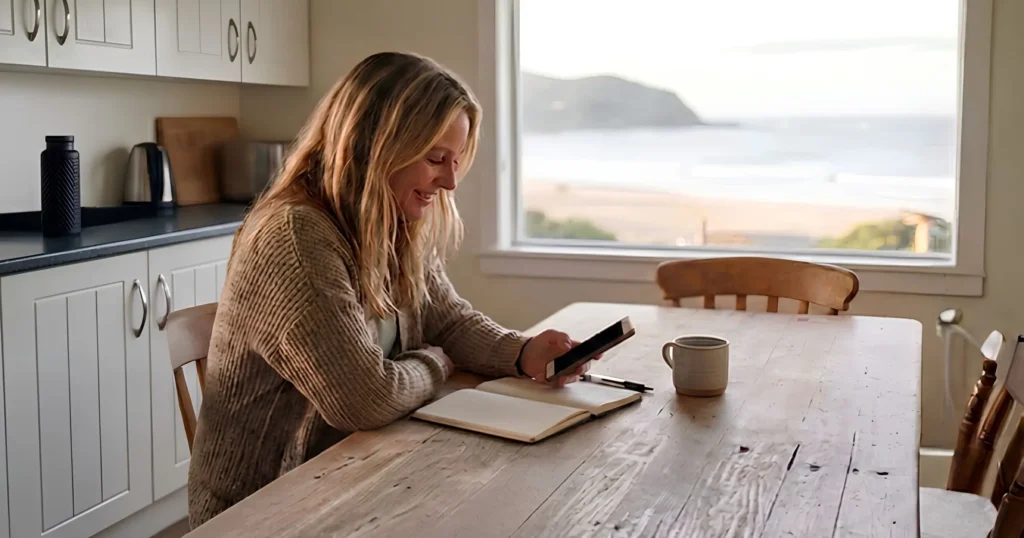
Reply to it. A review with stars and no words gives you nothing to respond to, so give the next reader something instead. Write two or three sentences. Thank the guest, add one fact about your business they might not know, and sign your name.
QUICK LINKS:
- Should you reply to a Google review with no text?
- What to write under a five-star review with no text
- What to write under a three-star review with no text
- What to write under a one- or two-star review with no text
- How to stop your replies sounding the same
- How to reply on Google, and when
Should you reply to a Google review with no text?
Yes. Our view is that you reply to most of your recent reviews, the rating-only ones included.
Guests read your reply rate. So do the AI tools that summarise your business. A profile full of unanswered reviews reads as a business that isn’t paying attention. We cover that in our top tips to online review success.
Google doesn’t force you to reply to everything. Its Australian help page says “you don’t need to thank every reviewer publicly”. It says to reply “when you have new or relevant info to share”.
Those two positions fit together. A bare “Thanks!” under a star rating fails Google’s test. A reply that shares one new fact passes it.
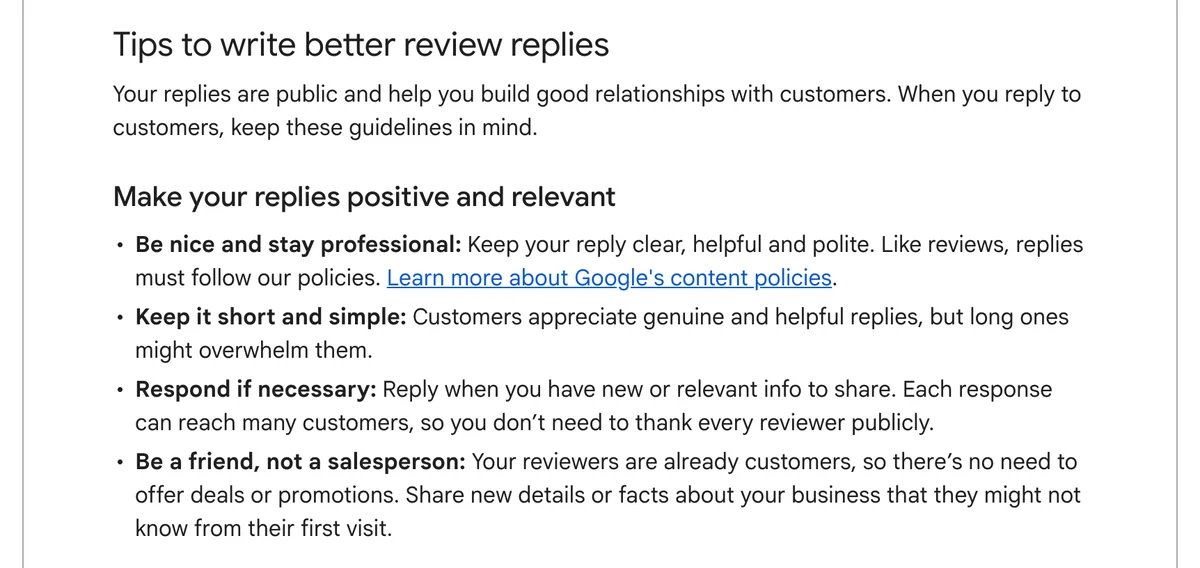
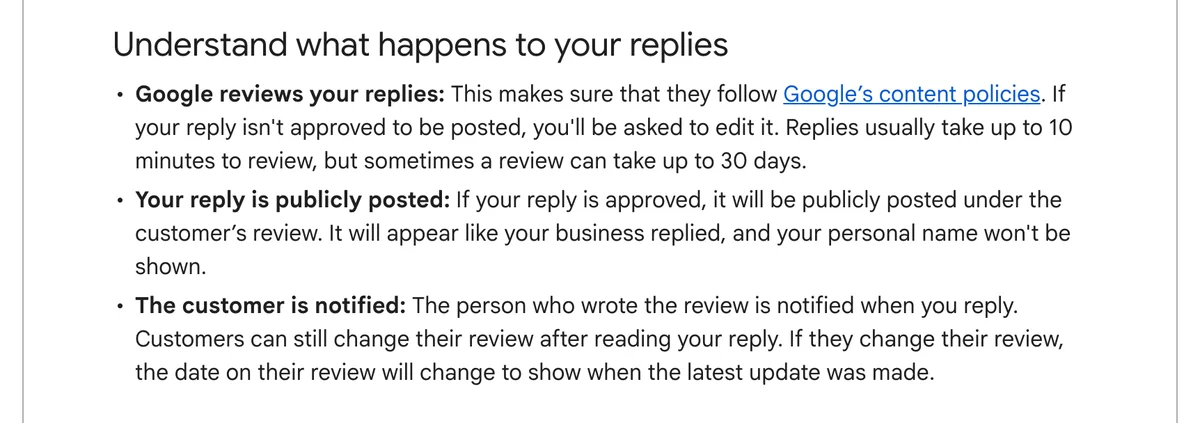
There’s a second reason. Google notifies the reviewer when you reply. A guest who left four stars and no words gets a personal note from you. That’s a small moment of service, delivered after they’ve gone home.
What to write under a five-star review with no text
Thank the guest, add one new fact, and sign your name. That’s the whole formula.
- Thank them by name. Use the name on the review.
- Add one fact. Google’s tip is to “Share new details or facts about your business that they might not know from their first visit.” Think of a walk, a season, a local supplier, a second product.
- Sign off. Google suggests you “Sign your reply with your name or initials.” Your reply shows under the business name, not yours, so the sign-off is the human touch.
Don’t thank the guest for words they never wrote. “So glad you loved the pool!” reads oddly under a review that says nothing about the pool.
Keep private details out. Google’s rule is “Never share the reviewer’s private info.” Room numbers, stay dates and the names of people they travelled with all stay off the page.
Hypothetical example: a coastal cabin park. Three five-star reviews arrive with no text in one week. The owner, Kate, writes a different reply under each.
Thanks so much, Priya. Next time you’re here, ask at reception for the tide chart. The rock pools below the headland are best at low tide. Kate
Thank you, Tom. We’ve added two new pet-friendly cabins since spring, in case you’d like to bring the dog next time. Kate
Thanks, Lauren. If you visit in winter, the whales pass the lookout at the end of our beach track most mornings. Kate
Each reply is short. Each one tells the next reader something true about the park. None of them repeats a phrase.
What to write under a three-star review with no text
Thank them, then ask what would have made it a five, and invite them to contact you directly.
A three-star rating with no words tells you something fell short. It doesn’t tell you what. Check your booking records first. Google gives this tip for negative reviews: “Check your records about the reviewer and their visit.” It works for a middling rating too.
Then reply in public, and take the detail private. Google says you’re able to ask the reviewer to contact you by email or phone to sort out an issue.
Hypothetical example, the same cabin park:
Thanks for staying with us, Mark. We’d love to know what would have made it a five-star stay. If you have a minute, email me at stay@[yourpark].com.au. Kate
Don’t guess at the problem in public. Don’t explain or defend anything they haven’t raised.
What to write under a one- or two-star review with no text
Reply within 24 hours, apologise, and invite the guest to contact you. Our Online Reputation Management course sets 24 hours for negative reviews and 72 hours for positive ones.
Start with your records. If you find the booking and know what went wrong, own it in one sentence. If you don’t know, say you’d like to hear about it.
Google’s guidance for negative reviews is to “Apologise if needed” and to protect the reviewer’s privacy. Google also confirms that customers are able to change their review after reading your reply.
Hypothetical example:
Sophie, I’m sorry your stay didn’t go well. I’d like to understand what happened and put it right. Please call me on [phone] or email stay@[yourpark].com.au. Kate
If you believe a review breaks Google’s content policies, Google lets you flag it. Reply calmly anyway. Future guests read your reply, not the flag.
How to stop your replies sounding the same
Build a fact bank and rotate it. A fact bank is a list of true, specific things about your business that a past guest might not know.
Good fact-bank entries for an accommodation business:
- Seasonal highlights: whale season, wildflowers, a winter festival.
- Things guests miss: a walking track, a free kayak, a lookout.
- New additions: a renovated room type, pet-friendly cabins, EV charging.
- Local partners: the bakery you buy from, the tour you recommend.
Pick a different entry for each reply. Write it in your own words each time.
Three rules from Google’s April 2026 review policy update, covered in our Google Business Profile tech session recap:
- Don’t repeat keywords. Specific named details work: the bay, the track, the bakery. Repeated phrases trigger filters.
- No promotional language, discount codes or sales links in your replies.
- Don’t ask customers to mention staff by name or include specific words.
Keep it short. Google warns that long replies “might overwhelm” readers. Two or three sentences is plenty.
Specific replies also feed AI search. ChatGPT, Gemini and Google’s AI Overviews read your reviews and your replies, looking for details to repeat. A copy-and-paste thank-you gives them nothing. One true fact about your whale season gives them something to quote. We explain this further in reply uniquely to any past reviews.
Using ChatGPT to draft? Paste in your fact bank and ask for five different two-sentence replies. Then read every one before it goes live. A human checks every reply, every time.
How to reply on Google, and when
Google’s steps to reply to any review, rating-only or not:
- Go to your Business Profile.
- Select Read reviews.
- Next to the review, select Reply.
- Write your reply.
- Select Reply.
Google checks your reply against its content policies before it goes live. That usually takes up to 10 minutes. Sometimes it takes up to 30 days. If Google rejects it, you’ll be asked to edit it.
Set one fixed time each week for replies, such as Monday morning. Deal with one- and two-star ratings sooner, inside 24 hours.
Got a backlog? Our advice: work through it oldest first, a few each day. Our reply uniquely to past reviews activity sets the standard for each one: two or three sentences that pick up on what the guest said.
More reviews help too. Google’s ranking help says “More reviews and positive ratings can help your business’s local ranking.” If you run more than one location, read how to collect reviews for each Google profile.
Frequently Asked Questions
Does Google let you reply to a review with only a star rating?
Yes. Google’s reply steps cover every review, with or without text. Go to your Business Profile, select Read reviews, then select Reply next to the review. The guest gets a notification when your reply goes live.
Do I have to reply to every five-star review with no text?
No. Google says “you don’t need to thank every reviewer publicly”. Our view is to reply to most recent reviews anyway, because guests and AI tools read your reply rate. Make each reply share one new fact, so it’s worth posting.
Is it okay to use the same reply for every rating-only review?
No. Under Google’s April 2026 review policy update, repeated keywords trigger filters. A copy-and-paste reply also tells future guests nothing. Write each reply fresh, using a different fact from your fact bank. Two or three sentences is enough.
Will replying to rating-only reviews improve my Google ranking?
Google lists responding to reviews among its tips to improve local ranking. It says “Positive reviews and helpful replies can help your business stand out.” Google also says more reviews and positive ratings can help local ranking, so keep asking every guest for a review.
What if I don’t know who left the review?
Check your booking records against the reviewer’s name first. If you still don’t know, reply with a thank-you and a fact for a high rating. For a low rating, apologise and ask the guest to email or call you.
How do I change a reply I’ve already posted?
Go to your Business Profile and select Read reviews. Under your reply, select Edit, make the change, then select Update. The same menu lets you delete the reply.
Conclusion
A star rating with no words is still a guest you served, and still a page the next guest reads. Reply in two or three sentences, add one true fact, and sign your name. Start a fact bank this week, then clear your unanswered rating-only reviews in your Monday slot.

Your free AI marketing coach, right in your pocket
The free Pocket Rocket app gives you a personal AI marketing coach, website audit, weekly action plans and 5-minute tips. Built for tourism operators.