How do I change my tourism business name without losing my Google and AI visibility? Check what Google, review sites and AI tools say about you before you pick the new name. Then find out whether Google sees a rebrand or a new business. Change everything in a set order, so the new name reads the same, character for character, everywhere.
- Check what Google and AI say about you now
- Check the new name before you commit
- Know which kind of name change Google sees
- Change everything in this order
- Test what AI says after the change
Check what Google and AI say about you now
Start with a record of how you show up today. You’ll compare against it after the change.
Open ChatGPT, Gemini and Perplexity in a private browser window. Ask about your business by name and town. Then ask the questions your guests ask. Our coaching prompt is “What does the internet think about [business name] tours departing from [city]?”
Click the sources each tool cites. Write down every place your name appears, and how it’s spelt. That list becomes your to-do list later.
Search Google and Google Maps for your current name too. Look for old names, old phone numbers and duplicate profiles. Our post on ChatGPT mentions versus clicks uses the same test: note every wrong detail and the source behind it.
A rename creates a mismatch on purpose. For a while, your old name sits on some platforms and your new one on others. In our experience, AI tools read that as possibly two businesses. Your job is to keep that window short.
Check the new name before you commit
Search for the new name before you print a single sign. Three checks:
- Is anyone nearby using something close? Search your region on Google Maps, Tripadvisor and the Australian Tourism Data Warehouse (ATDW). A look-alike name leads guests to review the wrong business, as our post on reviews meant for another business explains.
- Is the domain free? Your website address should match your business name. Your email should sit on that domain too. Our must-dos for marketing your tourism business online set out why.
- Will it pass Google’s name rules? Leave your town and “tours” out unless they’re on your sign. Google says unnecessary information in the name risks a suspension. Put the town in your address and the tours in your categories.
Check the ASIC business names register as well. ASIC doesn’t let you edit a registered name into a new one. “If you want a different business name, you need to register a new one,” says ASIC’s help page.
Know which kind of name change Google sees
Google treats a small change and a full rename differently. Read its rule before you touch your profile.
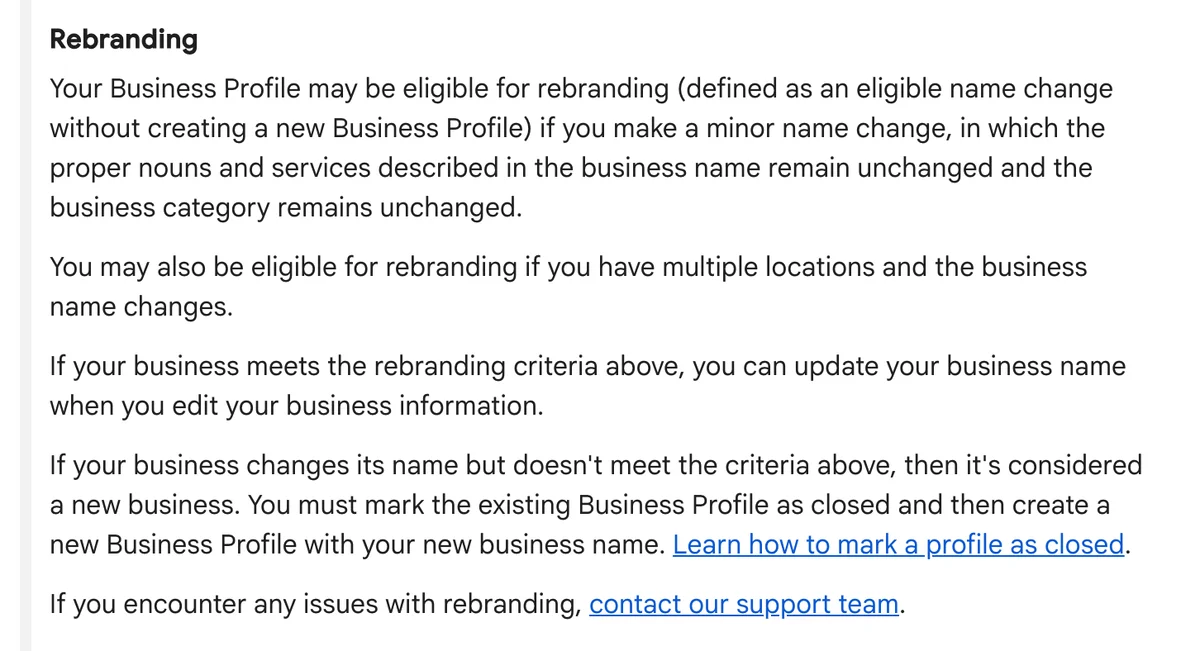
Google calls an eligible name change without a new profile “rebranding”. Google’s test for a minor change: “the proper nouns and services described in the business name remain unchanged and the business category remains unchanged.” Pass it, and your profile “may be eligible for rebranding”, in Google’s words. Then you edit the name on the profile you have.
Anything bigger, Google says, is “considered a new business”. You mark the existing profile as closed and create a new one with the new name.
Here’s how we read that for tourism:
- “Kingfisher Tours” to “Kingfisher River Tours”: same proper noun, same service, same category. A minor change, so edit the profile.
- “Smith’s Charters” to “Reefline Charters”: the proper noun changes. Google treats it as a new business.
- “Bayview Cabins” to “Bayview Glamping” with a new category: the service and category change. Also a new business.
This matters because your Google Business Profile carries the weight. In Episode 21 of Untangling Tourism Tech, Fabienne and Liz explain why. Ask a phone in voice mode where to stay. The answer comes from the operator’s Google Business Profile, not the region’s tourism website.
A new profile starts with no reviews. In our coaching, a fresh profile also loses the history the old one built, and the old one is only marked closed, never deleted. If your rename is a full one, plan a review push for the new profile from day one. If it’s minor, never start a new profile to get a clean slate.
Change everything in this order
Make everything else match first, then change Google. In our coaching, a Google name change has a stronger case once your website, logo and socials already carry the new name.
1. Register the new name
ASIC’s order is “first register the new name, then cancel the old name.” ASIC cancels a name 28 days after you apply, and nobody else uses it for four months after that. Our advice: keep the old name registered until your listings have moved across.
2. Put the new name on your sign and stationery
Google’s video verification looks for your business name on a permanent sign, as our post on verification after a move explains. It also has our corflute tip for when the proper sign is weeks away. Update your booking confirmations and invoices at the same time.
3. Change your website
- Change the site title, the SEO title and meta description of your home page, and the logo.
- Search every page for the old name with Ctrl+F and replace it. Check the footer, the contact page and image alt text.
- Change the sender name on your emails, so guests see the new name in their inbox.
- Moving to a new domain? Redirect every old page to its matching new page with a permanent (301) redirect. One redirect per page keeps each guest on the page they wanted.
Google’s site move guide says 301 redirects “don’t cause a loss in PageRank”. It also says to “Keep the redirects for as long as possible, generally at least 1 year.” Submit a Change of Address in Google Search Console for the old domain. And expect a wobble: Google warns of “temporary fluctuation in site ranking during the move”.
Don’t leave the old site live and bookable. In our coaching, Google keeps treating the old business as open while the old site still takes bookings.
4. Change your Google Business Profile
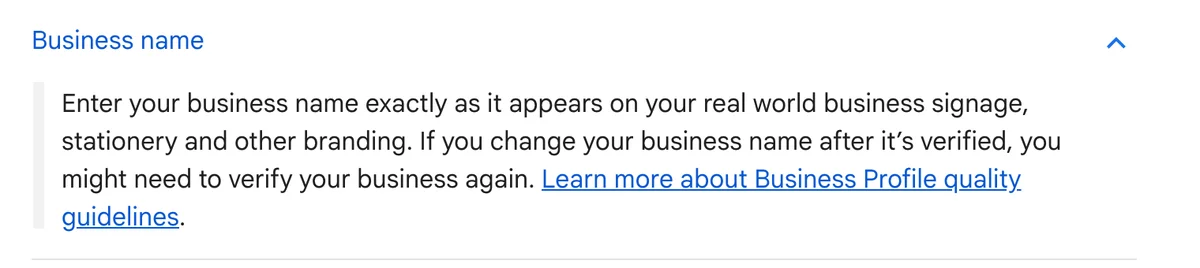
For a minor change, edit the name on your profile. Google says to enter it “exactly as it appears on your real world business signage, stationery and other branding”. Google reviews each change before it goes live, and warns “you might need to verify your business again.” If Google has mailed you a postcard code, use it before you edit the name.
For a full rename, follow Google’s rule: mark the old profile as closed, then create and verify a new one.
5. Change every other listing
Work through the list you made in the first step. Use the new name, character for character, punctuation included:
- Tripadvisor, Booking.com, Airbnb, Viator and GetYourGuide
- ATDW and your regional tourism website
- Facebook, Instagram and any other social account
- Apple Maps and Bing Places. Bing copies your Google profile when you link the two with Google sync, so do Google first. Our Apple Maps and Bing guide has the steps.
- Your booking system, your review request emails and your email signature
Our guide to updating your listing on Tripadvisor, Google and ATDW covers where those three sit. Keep your ASIC record handy in case a platform asks for proof.
Test what AI says after the change
Run the same questions in ChatGPT, Gemini and Perplexity, in a private window. Compare the answers with the ones you saved before the change. Note where the old name still appears and which source each tool cites for it.
Fix those sources, then test again in three months. Our post on checking your SEO changes are working sets out the same before-and-after test.
Hypothetical example. Ironbark Ridge Cabins, a farm stay in regional Victoria, becomes Ironbark Ridge Retreat and adds glamping tents. The service and the category change, so the owners treat it as a new business on Google. Before they change anything, they ask ChatGPT about the business and save the answer. ChatGPT cites a regional tourism page that still lists a phone number from 2019. They register the new name with ASIC and screw the new sign to the gate. Each cabin page on the old domain redirects to its new page. Then they close the old Google profile and verify the new one. Their thank-you email carries the new review link. Three months later ChatGPT uses the new name and the right phone number, because they fixed the regional page too.
Frequently Asked Questions
Will I lose my Google reviews if I change my business name?
Not with a minor change, in our experience. You edit the name on the profile you already have, so its reviews stay with it. Google’s help pages don’t spell this out. Under Google’s rules, a full rename counts as a new business. You close the old profile and start a new one with no reviews. Plan a review push for that case.
Should I add my town or “tours” to my new name on Google?
No, unless those words are part of the name on your sign. Google says unnecessary information in the name risks a suspension. Put your town in the address and your tours in your categories and services. Our Google Maps checklist covers the other naming mistakes.
Does ASIC let me change my registered business name?
No. ASIC corrects only minor errors such as a typo. For a different name, register a new one, then cancel the old one. ASIC cancels it 28 days after you apply.
How long should I keep redirects from my old website?
Google’s site move guide says “generally at least 1 year”, and as long as possible. Our advice: keep the old domain renewed so the redirects keep working. Old links on directories and other websites keep pointing at it.
How do I stop AI mixing up my new name with a similar business?
Use one name everywhere, and make your descriptions specific about what you offer and where. Our post on reviews meant for another business has a checklist for this. Then test ChatGPT, Gemini and Perplexity again in three months.
Conclusion
A rename costs you visibility when the old and new names live side by side. Check what Google and AI say first. Follow Google’s rule for your kind of change, then move every listing in order. Want a second pair of eyes before you start? Our AI Digital Health Check looks at how AI sees your business across your website, Google, Tripadvisor and Google Maps.
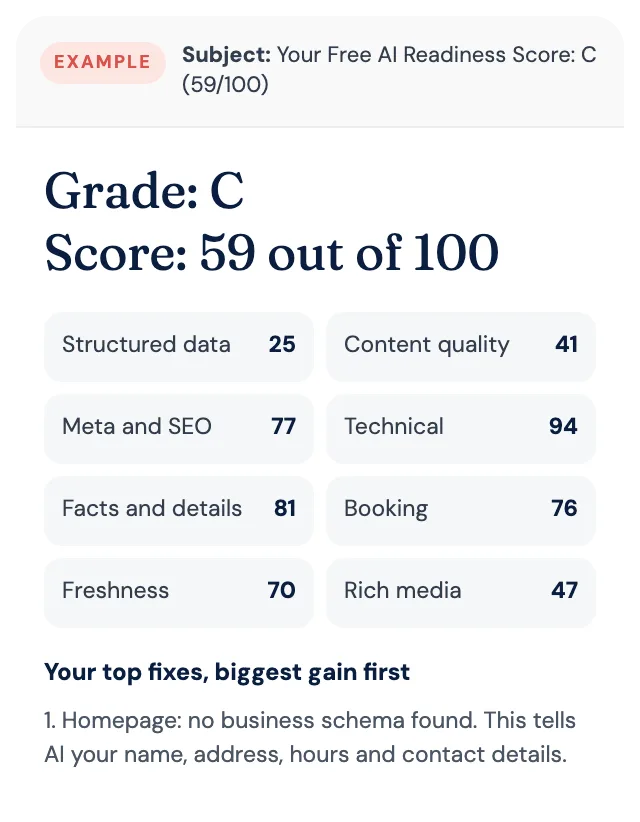
Free AI Readiness Score
How well does AI read your website?
Get your grade, a score out of 100 and your top fixes, by email. Free for tourism operators. No login and nothing to install.