
My domain expired and I can’t get into my tourism website. What do I do? Renew the domain first, today, through the company you registered it with. Then get back into your website. Then lock both down so it never happens again. For a .com.au you have 30 days after expiry before the name goes back on the open market.
- Why your website and email stopped at the same time
- Step 1: Find out who holds your domain and when it expired
- Step 2: Renew it inside the grace period
- Step 3: Get back into your registrar account
- Step 4: Get back into your website
- Step 5: Lock it down so it never lapses again
Why your website and email stopped at the same time
Your domain is your address on the internet. Your website and your email both sit on it. When the domain lapses, both stop.
You rent a domain from a registrar, usually one to two years at a time. The registrar is a company such as GoDaddy, Crazy Domains or VentraIP. Your hosting is a separate service, often from a different company, on a separate bill. So your hosting or website builder plan stays paid while the address in front of it disappears.
That’s why the fix starts with the domain. Rebuilding or moving the website won’t help while the address is gone.
Two things confuse operators in this spot. In our coaching, we’ve seen a Wix site where the editor still worked. The Wix plan was paid. The public site was down all the same. Your own phone or laptop also keeps a saved copy of pages you visited. The site looks fine to you and broken to everyone else.
Check the domain before you call your web host or your website builder.
Step 1: Find out who holds your domain and when it expired
Look your domain up in a free registration lookup. It names your registrar, the company to call.
- For a .com.au or other .au name, use the .au Domain Administration (auDA) WHOIS lookup. It shows the registrar, and the business and Australian Business Number (ABN) the licence is held under. It doesn’t show the expiry date. auDA says to confirm that with the password recovery tool on its website.
- For a .com and other generic names, use the Internet Corporation for Assigned Names and Numbers (ICANN) Lookup. It shows the registrar and the expiry date.
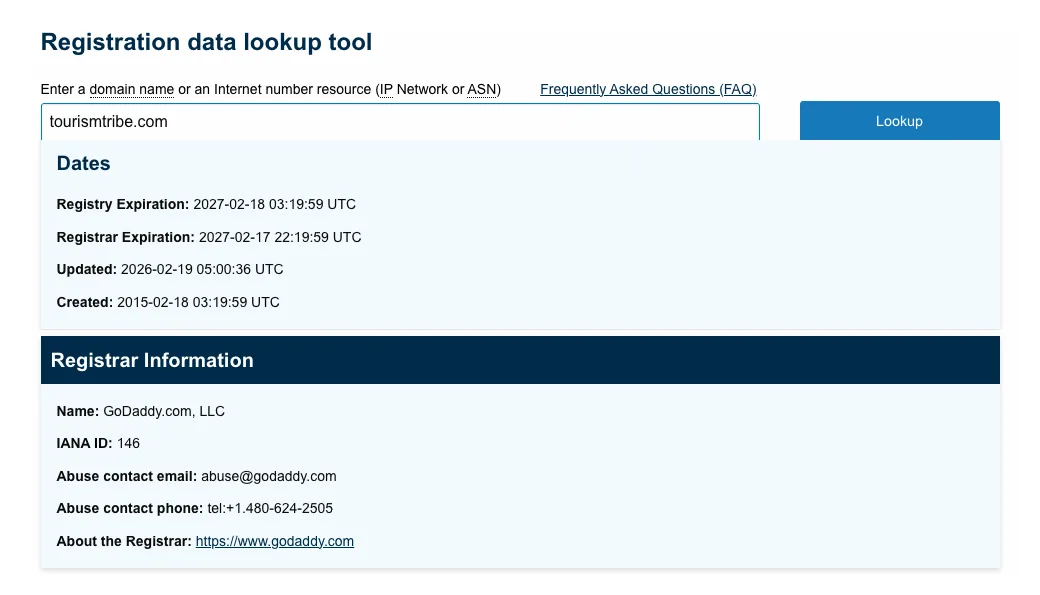
Write down three things: the registrar’s name, the expiry date and the name the domain is registered to.
If a .com lookup shows a privacy service instead of an owner, check the owner name inside your registrar account. If the registered owner isn’t your business, that’s a second problem to fix. It happens when a web developer or a former owner registered the domain. Our guide Don’t get locked out of your digital front door shows how to check the registrant. It also covers what to ask for.
Step 2: Renew it inside the grace period
Renew now. Both .au and .com names have a deadline after expiry, and the rules differ.
For .au names, auDA sets the rules. Its help page gives you a “30 calendar day grace period” after expiry. You renew “through your existing .au domain name provider or via a new provider”. Your website and email services “will stop working during this time”. Some providers charge a fee to restore the name.
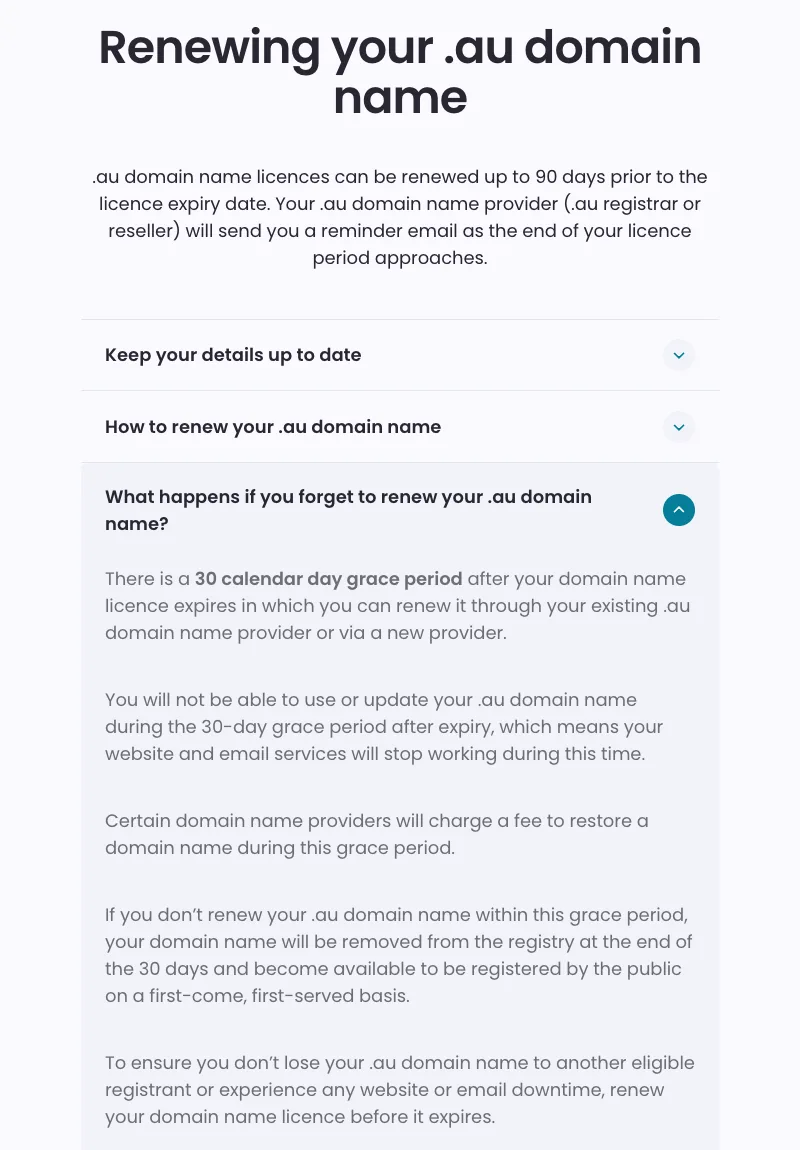
Miss the 30 days and auDA removes the name from the registry. It then becomes “available to be registered by the public on a first-come, first-served basis.”
For .com and other generic names, ICANN sets the minimum rules. The timeline varies by registrar:
- The registrar interrupts your domain for up to 8 days before deleting it. That’s when your website and email go dark.
- Some registrars offer an Auto Renew Grace Period of 1 to 45 days. ICANN warns the name “may be available to third parties” or auctioned during it. Check your registrar’s terms.
- After deletion, there’s a 30-day Redemption Grace Period. You restore the name through your registrar. ICANN says your registrar “may charge a fee”.
Pay the renewal inside your registrar account, never from an invoice that turns up by email or post. Fake renewal notices are a known scam in Australia. Consumer Affairs Victoria says the scam “relies on your business not checking invoices carefully”. The domain on a fake invoice is sometimes “only one letter different” from yours. Check the notice comes from the company that registered your domain, and that your domain is due. auDA also warns about emails that pretend to come from auDA. Call auDA on 1300 732 929 to check one.
Step 3: Get back into your registrar account
Use the registrar’s “forgot password” link first. If the reset email never arrives, look at which address the account uses.
Here’s the trap as we read it. Say you log in to your registrar with an email on the same domain, such as bookings@yourbusiness.com.au. That email is down while the domain is down. The reset email has nowhere to land.
When that happens, phone or chat with the registrar’s support team. Tell them the domain has expired and the account email sits on it. Ask what proof of ownership they need to change the login email. Have your ABN and your business details ready.
If your web developer registered the domain in their own account, ask them to renew it today. Then ask them to move it into an account in your business’s name. Our admin access guide gives the same advice when a developer won’t hand over admin access. Transfer the domain to your own registrar account. Then give the developer access from it.
The worst case is a developer who has gone silent. In Episode 4 of Untangling Tourism Tech, Fabienne tells the story of an operator in that spot. The logins she found in old emails didn’t work. Her domain was connected through to her developer, so she had no way in. As Fabienne put it, her small website was easy to recreate. “The problem is the domain name, because everything is connected to the domain name.”
If you’re stuck there, talk to us. We’ll point you to the questions to ask and the path to take.
Step 4: Get back into your website
Your website login lives on your domain. As we read it, a WordPress login page won’t load until the domain works again. Fix the domain first, then log in.
If your WordPress password doesn’t work, use the “Lost your password?” link on the login page. WordPress emails a reset to the address on your user account. The WordPress.org guide says other steps are needed when “your email isn’t working correctly”. Those steps run through your hosting account or the database. Ask your host or web developer to do them for you.
On a website builder such as Wix, you log in through the builder’s own website. In our coaching, the Wix editor kept working while the domain was down.
Once you’re in, check your own access level. In WordPress, go to Users and look at your role. It should say Administrator. If it says Editor, ask your developer for admin access. Our admin access guide explains why you need it.
Step 5: Lock it down so it never lapses again
A lapse comes from small gaps: an old card, an unread inbox, a login nobody knows. Close each one.
- Turn on auto-renew in your registrar account.
- Update the payment card on the registrar account. In our experience, an expired card is the most common cause of a lapse.
- Check the contact email on the account is one you read. Our advice: pick an address that doesn’t depend on the same domain, so reminders still reach you if it lapses.
- Renew for longer. auDA lets you choose a licence period of one to five years.
- Put the domain in your business’s name, in an account you log in to yourself.
- Save the registrar login in a password manager with two-factor authentication. Never in an inbox or a spreadsheet.
- Add a calendar reminder a month before the expiry date. Registrars send reminders by email, and in our coaching we see operators mistake them for spam.
- Name who pays the domain bill, with the hosting and the licences, so it never falls between two people.
Do the same for your website, hosting and email. Our admin access guide lists the ten accounts to hold admin access to. Our post on what to do when your tourism website gets hacked sets out who gets which login. And our guide to connecting AI safely to your tourism business covers password managers and two-factor codes.
If you’re scared you’ll break something with admin access, keep two logins. Use the everyday one, and save the admin login for the night something goes wrong.
Hypothetical example. The owners of a cabin park in the Gippsland hills renew their .com.au through their registrar. The card on the account expired in winter. The renewal fails and the domain lapses. On Monday, guests say booking emails bounce. The owners search their domain in the auDA lookup and see the registrar’s name. They try to log in, but the reset email goes to an address on the dead domain. They call the registrar, prove the business owns the licence and renew for five years. They change the account email to a second address, add a new card and switch on auto-renew. Then they save the login in their password manager.
Frequently Asked Questions
How long do I have to renew an expired .com.au domain?
You have 30 calendar days after the expiry date to renew a .com.au, according to auDA. You renew through your current provider or a new one, and some charge a restore fee. After 30 days, auDA removes the name and anyone can register it.
Will I lose my Google rankings if my domain expires?
Our view: renew inside the grace period and the domain keeps its history. In our coaching, an aged domain carries trust with Google that a new domain doesn’t have. A new domain starts from zero. Renew the old one, even if you plan to move. Our post on changing your business name explains why we keep old domains renewed, so redirects keep working.
I got an invoice to renew my domain. Is it real?
Check before you pay. Consumer Affairs Victoria warns of fake renewal invoices for a domain sometimes only one letter different from yours. Confirm the invoice comes from the registrar in your domain lookup and that your domain is due. Then pay inside your registrar account, never from the invoice.
My web developer registered my domain. Who owns it?
The registrant in the domain lookup holds the domain. If that’s your developer’s business, ask them to move it into an account in your business’s name. In Episode 4 of Untangling Tourism Tech, Fabienne tells an operator’s story. She had no way into her domain. It was connected through to a developer who had gone silent. Our admin access guide explains how to check the registrant and why you need admin access.
Why does my website still load on my phone when guests say it’s down?
Your phone keeps a saved copy of pages you visited. In our coaching, that copy makes an expired site look fine to its owner. Open your site in a private browser window, or check the expiry date in a domain lookup.
What if someone else registered my domain after it lapsed?
Then you’ll need to negotiate. auDA suggests contacting the new holder through the WHOIS details, or using a domain broker. If the name is still free, re-register it. A “drop catcher” service grabs names as soon as they’re released. auDA says getting a name back “is not guaranteed”.
Conclusion
An expired domain takes your website and email down together, and the clock starts at expiry. Renew it first, then get back into your registrar account and your website. Then turn on auto-renew, update the card and save the login in your password manager today.
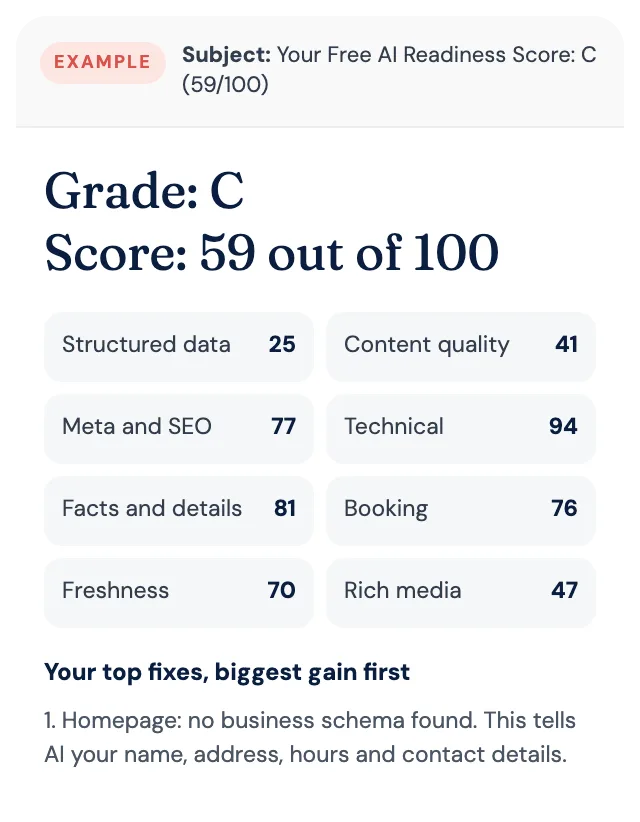
Free AI Readiness Score
How well does AI read your website?
Get your grade, a score out of 100 and your top fixes, by email. Free for tourism operators. No login and nothing to install.