
If your business isn’t showing on Google Maps, check four things in this order. Is your Google Business Profile verified? Is it new, or did you edit it this week? Has Google suspended it? If it passes all three, your profile is live and the problem is ranking.
Start with the first check. It rules out the problems no ranking tip will fix.
- Check 1: Does Google show your profile to anyone?
- Check 2: Is your profile new, or did you edit it this week?
- Check 3: Has Google suspended your profile?
- Check 4: You’re on Maps but not in the results
- Match your details everywhere
- What AI tools take from your Google profile
Check 1: Does Google show your profile to anyone?
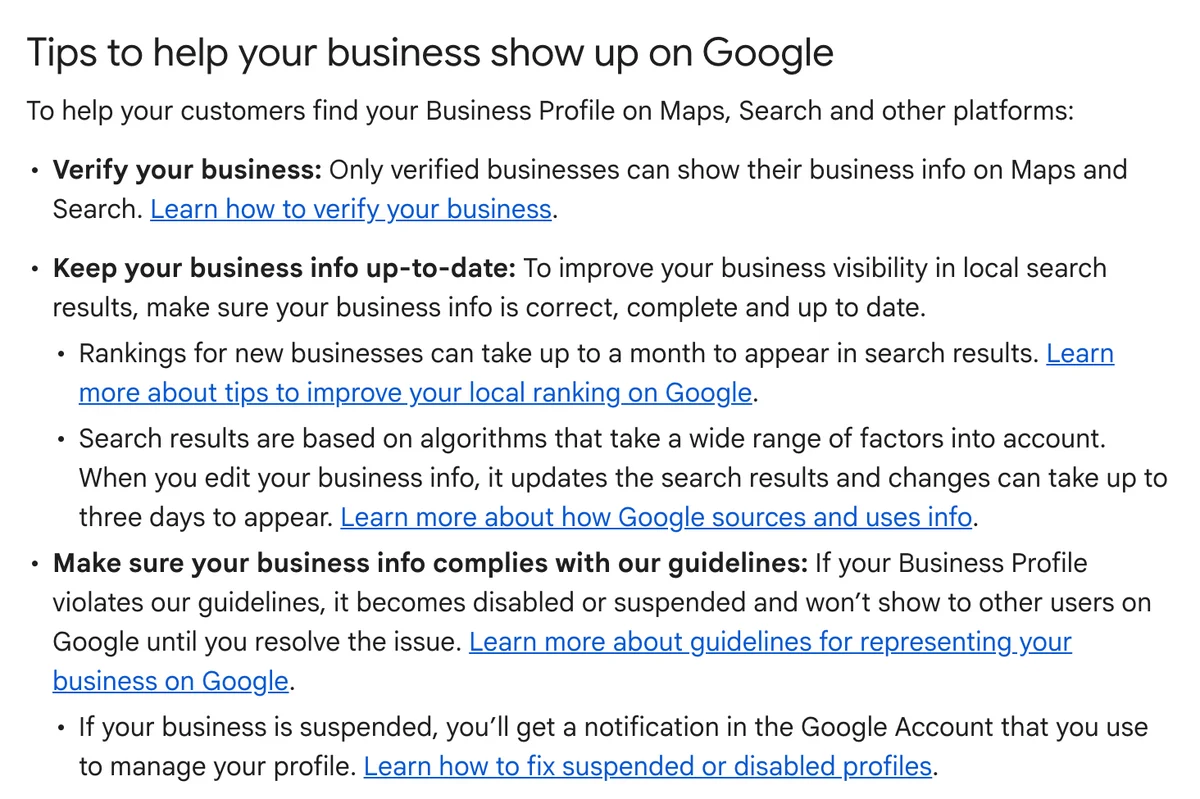
Google shows your business info on Maps and Search only when your profile is verified. Google’s help page says it plainly: “Only verified businesses can show their business info on Maps and Search.”
Black Dog Creative’s six-minute video, Business Not Showing Up on Google Maps? Here’s Why (and the #1 Way to Fix It), sorts the problem into three: your business is missing, suspended or buried. We use the same order here, with Google’s own help pages and what we teach in our tech sessions.
Here’s how to check:
- Sign in to the Google Account you used to set up the profile. Google says you must be signed in to that account to find it.
- Search your business name and town in Google Maps. Or type “my business” into Google Search.
- If the profile isn’t verified, finish verification first. Nothing else matters until that’s done.
- If the listing offers a link to claim the business, nobody has claimed it yet. Claim it, then verify it.
Verification also helps your ranking. Google says it “tells Google that you’re authorised to represent the business, so it’s more likely to show up in search results.”
Check 2: Is your profile new, or did you edit it this week?
A new profile takes time to rank. Google says “Rankings for new businesses can take up to a month to appear in search results.”
Edits take time too. Google says changes to your business info “can take up to three days to appear.”
Two rules while you wait:
- Verification reviews take up to five working days, according to Google’s verification page. On rare occasions they take longer.
- If Google mails you a code, don’t edit your business name, address or category until you’ve used it. Google says the code won’t work if you do.
Give a new profile the full month before you judge it.
Check 3: Has Google suspended your profile?
A suspended profile disappears from Maps. Google says a profile that breaks its guidelines “becomes disabled or suspended and won’t show to other users on Google until you resolve the issue.”
Google tells you through the Google Account that manages the profile. Check that account for a notice.
The business name is the first thing to check. Google’s guideline: “Including unnecessary information in your business name isn’t permitted, and could result in the suspension of your Business Profile.”
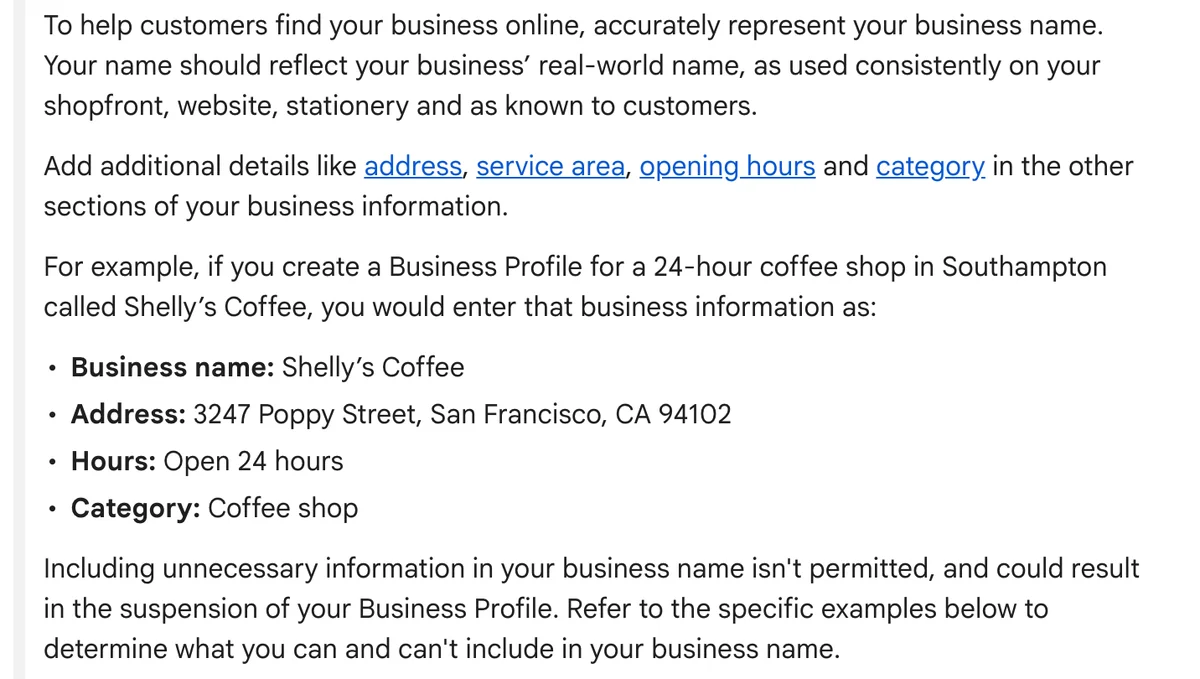
Your profile name should match the name on your sign, website and stationery. Google’s examples of what not to add include marketing taglines, service or product information and location information.
Hypothetical example: a kayak hire business trades as Saltwater Kayaks. Someone renames the profile “Saltwater Kayaks | Best Kayak Tours and Hire Hervey Bay” to rank higher. That name now breaks at least three of Google’s rules. The fix is to change it back to “Saltwater Kayaks” and let categories and services carry the rest.
In our training we warn about a quieter version too. Add a word like your town to the name, and the business stays listed but stops appearing in local search.
Check your address next. Google says a rented postal address you don’t operate from “isn’t eligible for a Business Profile.” A service-area business lists a virtual office only when that office is staffed during opening hours.
If Google has suspended you:
- Fix the cause first: the name, the address or whatever the notice names.
- Open Google’s appeals tool, choose the profile and attach your evidence.
- Get it right the first time. Google says “Appeals can only be submitted once.” If Google denies it, Google offers one further review of that decision.
Check 4: You’re on Maps but not in the results
If your profile is verified, settled and not suspended, the problem is ranking. Google ranks local results mainly on three things.
- Relevance: “how well a Business Profile matches what someone is searching for.”
- Distance: “how far each business is from the customer who’s searching.” You don’t control this one.
- Prominence: “how well-known a business is.” Google says it uses things like “how many websites link to your business and how many reviews you have.”
Google also says “There’s no way to request or pay for a better local ranking on Google.” The sponsored results above the map are ads. They don’t change your place in the map listings.
To improve relevance, fill in every section of the profile. Google says “Businesses with complete and accurate info are more likely to show up in local search results.” Choose categories with care. Google asks for the fewest categories that describe your core business, and none used as keywords. Within that rule, our tip is to add a relevant secondary category as well as your main one. List your tours under Tickets, Attractions or Activities. Our Google Business Profile tech session recap covers categories, products, posts and reviews.
To build prominence, work on reviews first. Google says “More reviews and positive ratings can help your business’s local ranking.” Ask every guest, and reply to them.
Then add the signals we teach in our tech sessions:
- Put your Google Maps link in every pre-arrival email. Guests tap “Get Directions”, and we treat those taps as an engagement signal. Google doesn’t publish this one. It’s our tip.
- Log in to your profile often. In Episode 21 of Untangling Tourism Tech, Fabienne tells the story of a cafe owner who slid down the rankings. She now keeps a note of the account she logs in with next to the coffee machine.
- Keep categories, offers, services and products current. Post twice a week. Our guide to writing a month of Google Business Profile posts with AI gives you eight posts without repeating yourself.
Match your details everywhere
Your business name, address and phone number need to read the same way everywhere they appear. We call this the NAP rule.
Check these places against your Google profile, word for word:
- Your website footer and contact page.
- Directories such as Tripadvisor and ATDW.
- Your social media pages.
- Apple Maps and Bing Places. Bing copies your Google profile when you link the two with Google sync, so fix Google first. Our Apple Maps and Bing Places guide covers both.
Then check the pin. Open your profile and confirm the map marker sits on your business. If your address has no street number, or Google doesn’t find it, Google’s guidelines let you pin the location on the map yourself.
Run more than one site? Each staffed, signed location needs its own profile. Our guide to setting up a second location covers the order.
What AI tools take from your Google profile
AI tools read your Google Business Profile too. In Episode 21, Fabienne and Liz explain why. Ask a phone in voice mode where to eat or stay, and the answer comes from the operator’s Google Business Profile, not a website.
Our view: a profile Google hides from Maps gives AI tools nothing to recommend. Fix checks 1 to 3 before you worry about AI.
Then help AI tell you apart from the business next door. In Episode 12 of Untangling Tourism Tech, Liz names three questions your website needs to answer. What makes you different? What’s local about you? Who runs the business?
Want a second pair of eyes? Our AI Digital Health Check audits how AI sees your business across your website, Google, Tripadvisor and Google Maps.
Frequently Asked Questions
How long does a new Google Business Profile take to show on Google Maps?
Verification reviews take up to five working days, and on rare occasions longer. Google also says rankings for new businesses take up to a month to appear in search results. If Google mails you a code, don’t edit the name, address or category until you’ve used it.
Why did my business disappear from Google Maps?
Check for a suspension first. Google hides a profile that breaks its guidelines until you resolve the issue. Check the Google Account that manages the profile for a notice. Then check your business name for extra words, fix the cause and appeal once.
Should I add my town or “tours” to my business name on Google?
No. Google says unnecessary information in the name isn’t permitted and risks a suspension. Use the name on your sign and website. Put your town in the address and your tours in categories and services.
Do I pay Google to rank higher on Google Maps?
No. Google says there’s no way to request or pay for a better local ranking. Ads show above the map as sponsored results, but they don’t change where your profile ranks.
Does putting a Google Maps link in guest emails help my ranking?
We think so. Guests who tap “Get Directions” send an engagement signal, and we teach this in our tech sessions. Google doesn’t confirm it. Google does confirm that reviews and links help prominence, so work on those too. In Episode 21 we cover the other signals, such as logging in often.
My business shows on Google Maps but not on Apple Maps. Why?
Apple Maps is a separate listing. Apple doesn’t say it uses your Google profile, so you add your details in Apple Business yourself. Our Apple Maps and Bing Places guide has the steps.
Conclusion
Work through the checks in order: verified, settled, not suspended, then ranking. The first three need no ranking trick, only a fix inside your profile. Sign in and search your business name in Google Maps today.
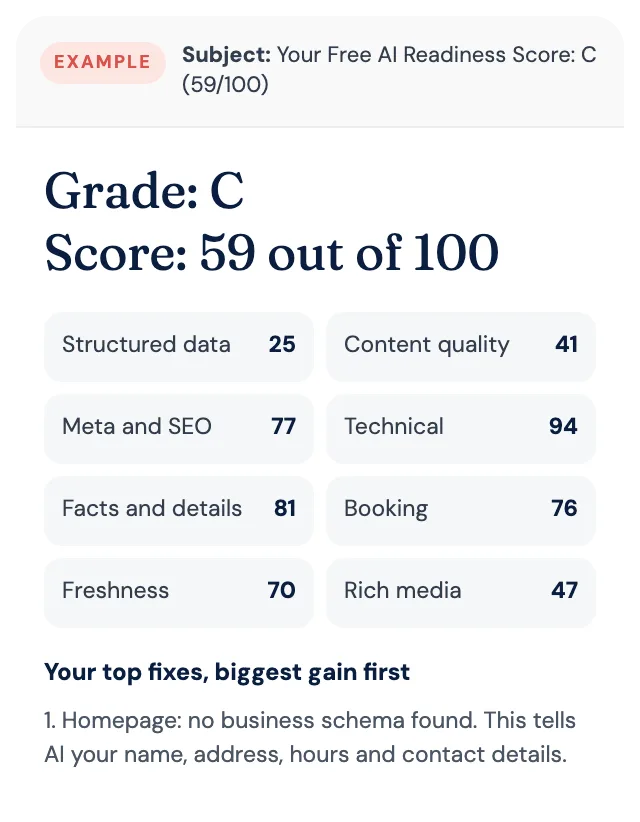
Free AI Readiness Score
How well does AI read your website?
Get your grade, a score out of 100 and your top fixes, by email. Free for tourism operators. No login and nothing to install.