
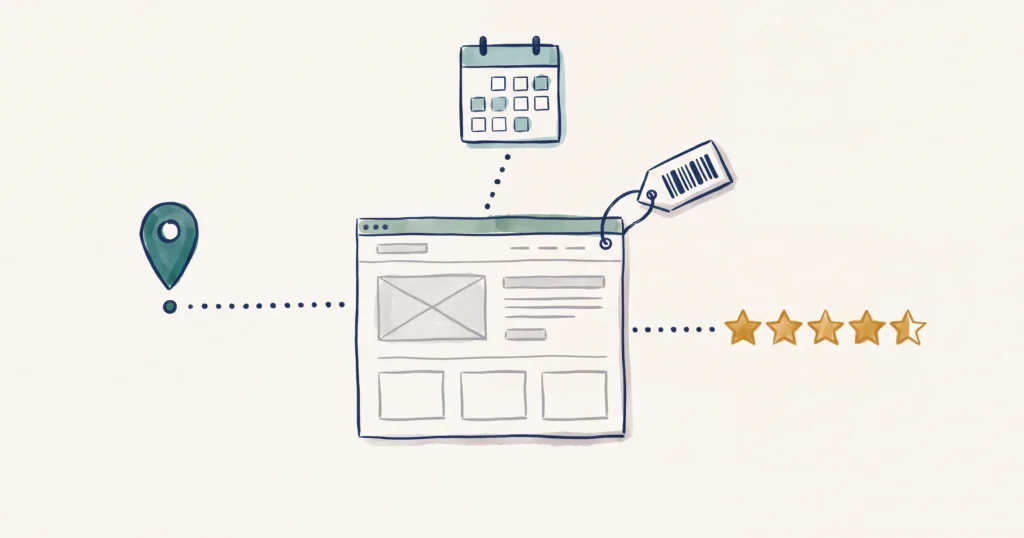
Set up schema in Rank Math in four steps. Fill in your business details under Local SEO. Set a default schema type for posts and pages. Give each tour, room or attraction page the right type in its Schema tab. Then test the page with Google’s Rich Results Test.
The free version of Rank Math covers most of this for a tourism business. This guide shows which type to pick, which fields to fill in, and where free Rank Math stops.
- Before you start: what free Rank Math covers
- Step 1: Fill in your business details under Local SEO
- Step 2: Set a default schema type for posts and pages
- Step 3: Pick the right type for each tour, room or attraction page
- Step 4: Check it worked
- Mistakes we see on tourism websites
Before you start: what free Rank Math covers
Rank Math is the WordPress SEO plugin we use when we build websites. For schema, it does a better job than Yoast on most tourism sites.
Schema is a set of hidden labels in your page code. It tells Google and AI tools that a page is a tour, a price, a set of opening hours or a rating. Our guide to schema markup for tourism explains why it matters. This post is the how.
First, turn the schema feature on. Go to Rank Math SEO > Dashboard and check the Schema (Structured Data) module is enabled.
Next, know what the free version gives you. Free Rank Math includes Article, Event, FAQ, Product, Restaurant, Service and WebPage, among others. It also covers your business details through the Local SEO settings.
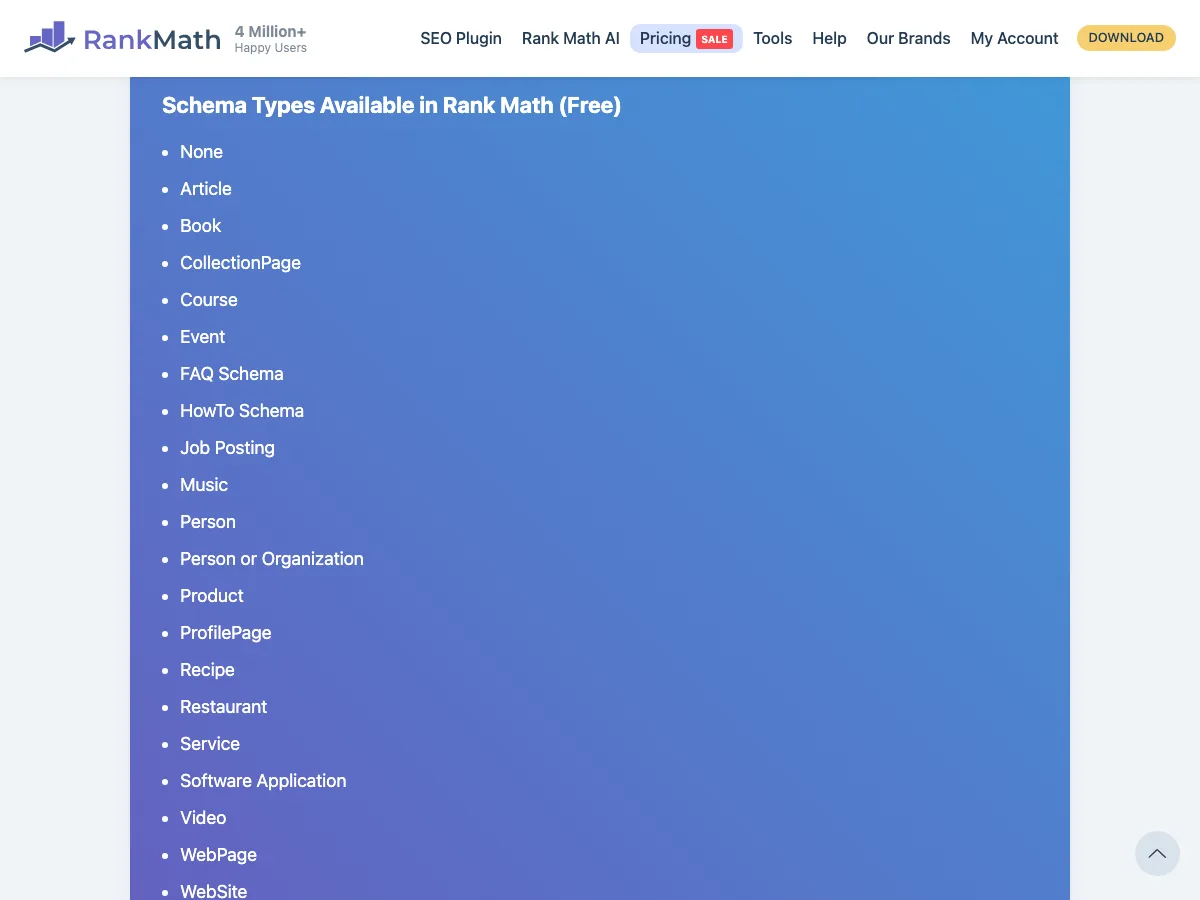
Three tourism types are missing from that free list: TouristTrip, TouristAttraction and LodgingBusiness. To put those on individual pages, you need Rank Math PRO’s Custom Schema builder, or a developer. PRO also adds schema templates and more than one schema type on a page.
One more check before you touch anything. If someone built your site for you, ask them first. Our course rule is simple. Single-page jobs are yours: a page’s schema type, its FAQs, testing it. Global business details, automatic schema on tours or rooms, and schema templates belong to whoever built the site.
Step 1: Fill in your business details under Local SEO
First check the Local SEO module is on at Rank Math SEO > Dashboard. Then go to Rank Math SEO > Titles & Meta > Local SEO. This is the foundation. Every other page on your site builds on it.
As our schema guide puts it: “Most people install RankMath, skip this step, and wonder why their schema looks half-empty.”
Fill in these fields:
- Person or Company: choose Company.
- Name, Description and Logo: your trading name, a plain description of what you do and where, and your logo.
- Email, Address and Phone: the same details as your Google Business Profile, word for word.
- Business Type: the closest match to your business (see below).
- Opening Hours: your real hours. Update them when your season changes.
- About Page and Contact Page: pick your About and Contact pages from the dropdowns.
Rank Math uses Business Type for your homepage and your About and Contact pages. It disappears when you switch on Use Multiple Locations.
Rank Math’s list has several tourism types. Accommodation sits under Lodging Business, with Bed And Breakfast, Campground, Hostel, Hotel, Motel and Resort below it. You will also find Travel Agency, Auto Rental, Amusement Park and Tourist Information Center. Pick the most specific one that is true. If nothing fits, pick the closest broader type, such as Local Business.
The Website Alternate Name field is for a shorter name or acronym for your site. It is not a place for your web developer’s brand.
Step 2: Set a default schema type for posts and pages
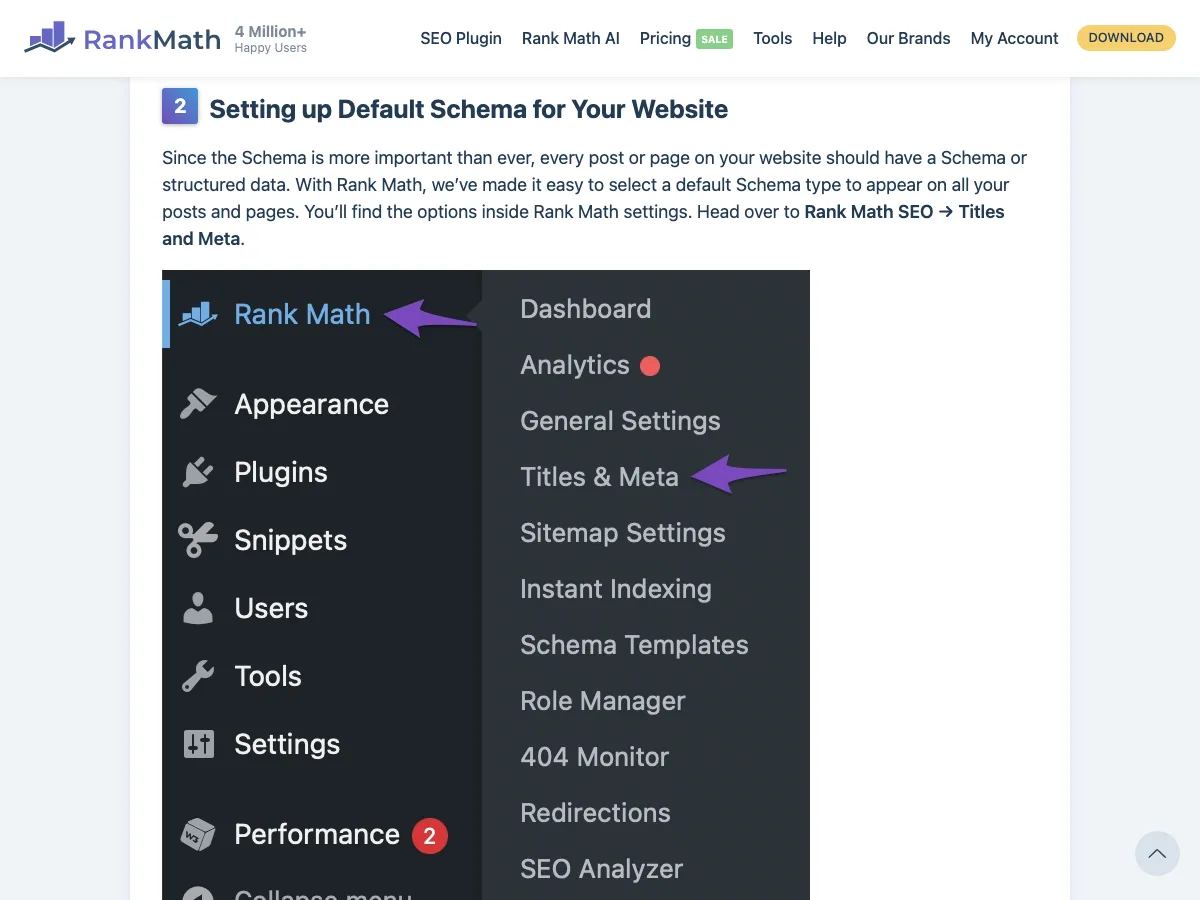
Go to Rank Math SEO > Titles & Meta, then click Posts in the left menu. Scroll to Schema Type and choose Article. Save. Then click Pages and do the same with the type that suits most of your pages.
Article belongs on blog posts. It does not belong on your homepage, tour pages or room pages. Our course suggests Service or WebPage for a homepage.
If your site has a separate content type for tours or rooms, it appears in the same menu. Set its default too, so every new tour starts with the right type. For tours that show a price, Product is the usual choice (Step 3 explains why).
A default is a starting point. You change it page by page in the next step.
Step 3: Pick the right type for each tour, room or attraction page
Open the page in the WordPress editor. Click the Rank Math icon at the top right, then the Schema tab. Click Schema Generator, choose a type, fill in the fields and save it to the page. Then update the page.
Use this table to choose:
| Your page | Type in free Rank Math | What to fill in |
|---|---|---|
| Tour or experience with a price on the page | Product | Name, description, price, currency (AUD), availability. Rating only if it is real |
| Tour or service with no published price | Service | Name and description |
| Hire item with a rate on the page (boat, bike, vehicle, gear) | Product | Name, description, rate, currency (AUD) |
| Multi-day itinerary | Product (TouristTrip needs PRO) | Name, description, price. Stops and provider in TouristTrip |
| Room, cabin or site page | Set Lodging Business in Local SEO (per-room types need PRO) | Business Type, price range, address, opening hours. Check-in, check-out and amenities need PRO Custom Schema |
| Attraction | Business Type in Local SEO (TouristAttraction needs PRO) | Opening hours, price range, address |
| Event, festival or seasonal date | Event | Event name, start date, physical location, ticket price |
| FAQ section on any page | Rank Math FAQ block (in the editor) | Real guest questions, answers of about 40 to 60 words |
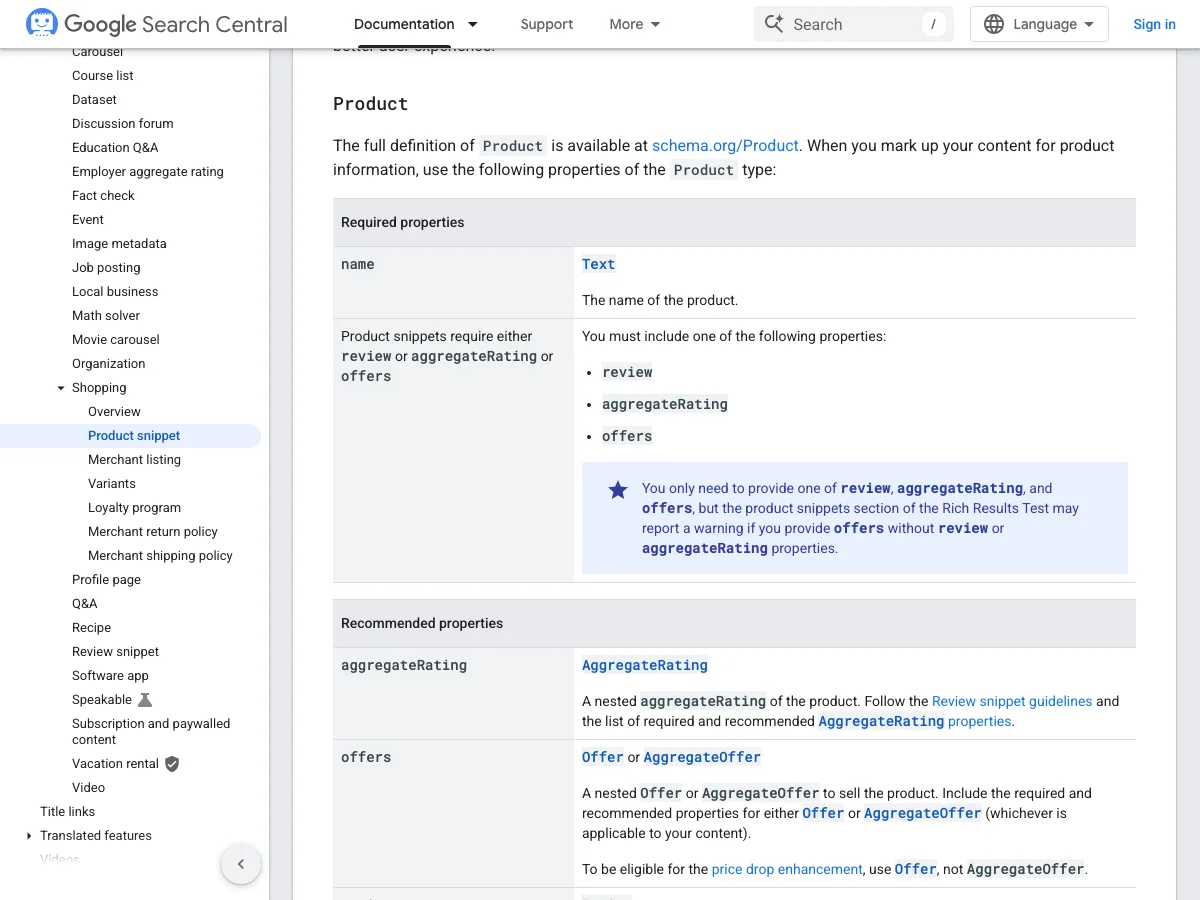
Why Product for tours? Product is one of the few schema types that earns stars and prices in Google search. TouristTrip is valid schema and Google reads it. Google shows no special search result for it.
Google’s rule for Product is short. The page needs a name, plus at least one of: a review, an aggregate rating or an offer (a price).
Two rules keep you out of trouble.
Mark up only what the page shows. If the page says $165 per adult, the schema says $165 in AUD. A tour with no published price gets Service, not a Product with an empty or invented price. Whatever price you publish is what AI tools quote back to travellers. That point is in our post on whether to show prices on your tourism website.
Do not mark up your own testimonials as reviews on your business details. Google supports review stars on LocalBusiness and Organization markup only for sites that review other businesses. Ratings from a review platform belong on Product pages. Our post on putting reviews on your own website covers the rest.
Here is a hypothetical example. A reef day tour operator has three pages. The homepage gets its identity from Local SEO, with Local Business as the type. The full-day reef tour page shows $189 per adult, so it gets Product with a $189 AUD offer. The private charter page says “price on request”, so it gets Service. A Rank Math FAQ block on the full-day tour page answers questions about seasickness and what to bring.
Step 4: Check it worked
Test every page you change. Open Google’s free Rich Results Test at search.google.com/test/rich-results and paste in the live page URL.
A good result lists the items Google detected, with no errors. A pass does not guarantee Google shows stars or prices every time. A fail means something needs fixing.
Two more free tools fill the gaps:
- Schema Markup Validator (validator.schema.org) shows every schema type on the page, including TouristTrip and others Google does not use for rich results.
- SEO Pro Extension by Marketing Syrup, a Chrome extension, shows the schema on any page as you browse. Use it on a competitor’s site too.
After a few weeks, open Google Search Console. The reports under Enhancements show the structured data Google found across your site, and any errors.
Our Tech Session recap on making your tourism business visible to AI agents with schema walks through these checks on real tourism sites.
Mistakes we see on tourism websites
Article on every page. The default never changed, so tour and room pages tell Google they are blog posts. Step 2 fixes it.
Tour details locked inside the booking widget. Booking systems such as FareHarbor, Rezdy, Bokun and Checkfront often load in an iframe or a JavaScript widget. Google does not read the content inside it. Write your tour details on the page itself, then add the widget for the booking.
Two sets of schema on one page. Booking and review plugins sometimes add their own schema. We have seen review plugins put Product schema on room pages, and booking systems add review markup to every page. Run the Schema Markup Validator and look for doubled-up products or ratings.
Stale prices. Your rates went up in July and your schema still says last year’s price. Update schema when prices, dates or inclusions change. Audit it once a year.
A developer’s name in your business details. We find this on audits: the developer’s brand sits in the alternate name field. Check yours in Step 1.
Expecting schema to do the whole job. Google’s AI Overviews read schema when they index your site. Assistants such as ChatGPT, Claude and Perplexity tend to read the visible text when they fetch a page. Schema helps get you into the shortlist. The words on the page get quoted. Pair it with page copy written for AI to quote.
Frequently Asked Questions
Do I need Rank Math PRO for a tourism website?
Not for the basics. Free Rank Math covers your business details, Product, Service, Event and FAQ schema. You need PRO for TouristTrip, TouristAttraction or LodgingBusiness on individual pages, or for templates that apply one schema to many pages.
Which Rank Math schema type should I use for a tour?
Use Product when the tour page shows a price or real ratings. That is the type that earns stars and prices in Google search. Use Service when there is no published price. For multi-day itineraries, TouristTrip adds the stops and provider, but it needs Rank Math PRO.
What schema type should accommodation use in Rank Math?
Set your Business Type in Local SEO to Lodging Business or the closer match, such as Hotel, Motel, Campground or Resort. Free Rank Math has no LodgingBusiness or HotelRoom type for individual room pages. For those, use PRO’s Custom Schema or ask your developer.
Does schema markup help my business show up in ChatGPT?
Partly. Google’s AI Overviews and Gemini read schema when they index your pages. ChatGPT, Claude and Perplexity tend to read the visible text when they fetch a page. Do the schema, and write clear facts on the page as well.
How do I know if my Rank Math schema is working?
Paste the live page URL into Google’s Rich Results Test. A good result lists the detected items with no errors. Check again in Google Search Console after a few weeks.
Will changing the schema type break my website?
No. Our course puts it plainly: a wrong type is harmless but unhelpful. The risky settings are global ones: your business details, automatic schema on tours or rooms, and schema templates. Leave those to whoever built your site.
Conclusion
Start with Step 1 today. Your business details in Local SEO feed every page, and most tourism sites have them half done. Then fix your three most visited tour or room pages and test each one.
If you would rather hand it over, our web development team sets up schema for tourism websites.

Your free AI marketing coach, right in your pocket
The free Pocket Rocket app gives you a personal AI marketing coach, website audit, weekly action plans and 5-minute tips. Built for tourism operators.