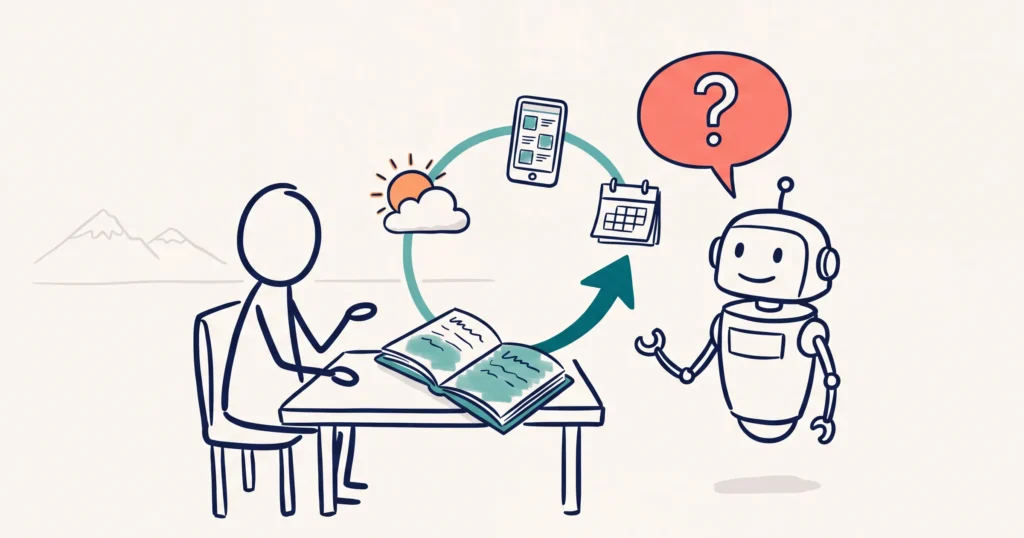
An AI social media manager is an AI agent that plans, makes and schedules your posts from a written plan and playbook, with a person approving each draft. In our 12 November Tourism Tech Session, Fabienne Wintle untangled one member’s ChatGPT social media setup live on a whiteboard, and showed the planning session, files, rules and schedules that make it work.
Jump to: Why it goes wrong | The planning session | The files | The content playbook | Close the loop | The boss agent | Also discussed | Things to try this week
Watch the recording
Members will see the replay when logged in. Log in here.
What are Tourism Tech Sessions?
Our Tourism Tech Sessions are twice monthly group coaching calls designed to support AI Enablement Plan members, whether you’re a direct member or a participant of one of our tourism digital capability programs. These sessions provide a space to:
- Learn the latest developments in tourism tech
- Ask questions in a safe, supportive environment
- Hear real-life examples and get practical demos
- Get the confidence to implement what you’ve learned
If you’re not a member, this article will walk you through the key takeaways. Join an AI Enablement Plan to access future Tourism Tech Sessions and have an expert at your fingertips to ask your business-specific questions.
What members say in our members’ WhatsApp group:

Why AI keeps getting your social media wrong
One member had spent about two days trying to get ChatGPT and Canva to run her social media. It picked the wrong photos, opened unrelated Canva designs, cropped tiles badly across Instagram, Facebook and TikTok, and had no system for when posts went out. She ended up doing it herself.
The tools weren’t the problem. Her four content pillars lived in her head, and nothing was written down for the AI to follow. Fabienne’s question: “You know what happens if a staff member doesn’t take notes? You just have to repeat yourself.”
The fix is to hire the AI the way you’d hire a person. Fabienne called her Melissa, the new social media manager.
Step 1: run a planning session before anything else
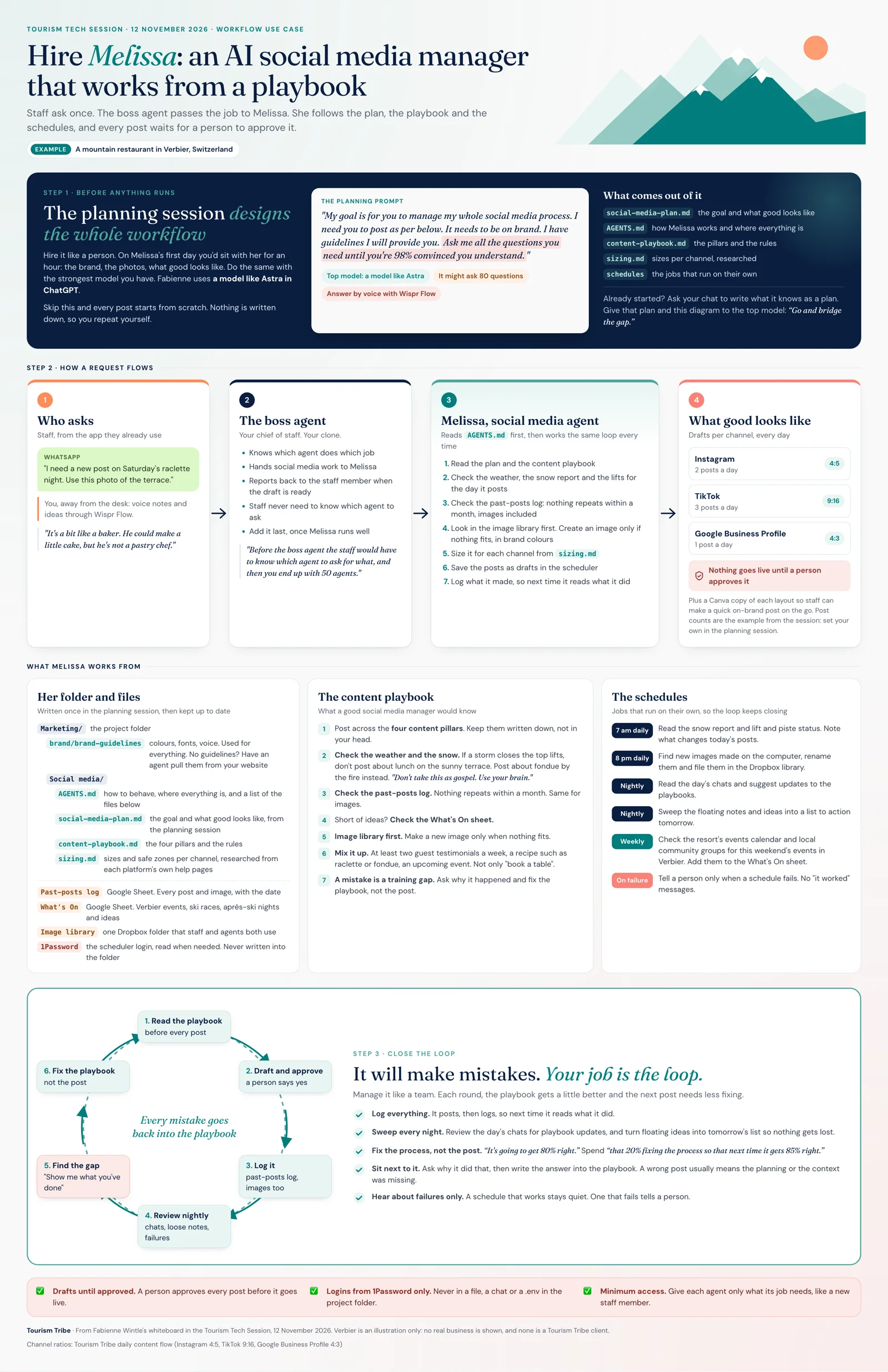
The planning session designs the whole workflow. Skip it and every post starts from scratch.
On a new staff member’s first day, you’d sit with them for an hour and show them the brand, the photos and what good looks like. Do the same with the strongest model you have. Fabienne uses GPT-6 Astra in ChatGPT. A weaker model asks fewer questions and misses the situations that trip it up later.
Start with the end goal, then give it this prompt:
My goal is for you to manage my whole social media process. I need you to post as per below. It needs to be on brand. I have guidelines I will provide you. Ask me all the questions you need until you’re 98% convinced you understand.
Expect a lot of questions. “It might ask you 80 questions.” Answer by voice with Wispr Flow instead of typing.
Ask it to design the workflow, not only the posts: where it finds content, where it posts, where your brand colours live and where your images are.
Already started without a plan? Ask your current chat to write down everything it knows as a plan. Then give that plan to the top model and ask it to bridge the gap.
The files your social media agent works from
The planning session produces a set of files in your marketing project folder. Keep them separate, because one long file is hard for the AI to follow.
- AGENTS.md: how the agent behaves in this folder and where everything lives. We covered agents.md files in the last session.
- social-media-plan.md: the goal and what good looks like. The session example was two Instagram posts, three TikTok posts and one Google Business Profile post a day. Set your own numbers.
- content-playbook.md: your four content pillars and the rules.
- sizing.md: image sizes and safe zones for each channel, so text never sits under the caption or buttons. Ask the agent to research each platform’s help pages and write this file itself.
- Brand guidelines: colours, fonts and voice, used for every job. No guidelines yet? Ask an agent to pull them from your website.
- A past-posts log and a What’s On sheet in Google Sheets, plus one image library folder that staff and agents both use.
The agent also needs your scheduling tool’s login, such as Buffer or Planoly. Keep it in a password manager like 1Password and give the agent access there. Never paste passwords into a file in the project folder.
Write a content playbook with examples
AI follows examples better than abstract rules. Write each rule with one.
- Post across your four pillars. Write them down. They do no good in your head.
- Check the weather first. If a storm is coming, don’t post about lunch on the terrace this weekend. Post about something else. “Don’t take this as gospel. Use your brain.”
- Check the past-posts log. Nothing repeats within a month, images included.
- Short of ideas? Check the What’s On sheet.
- Look in the image library first. Make a new image only when nothing fits, in your brand colours.
- Mix it up. At least two testimonials a week, a recipe and an upcoming event. Not only sales posts.
You don’t need Canva to make the posts. ChatGPT makes the images and puts the words on them. If staff need to make quick posts on the go, ask the agent to save a Canva copy of each layout for them to duplicate.
Close the loop with schedules
Schedules are jobs that run on their own. They keep the system tidy and help it learn.
- 8 pm every day: find new images on the computer, rename them and file them in the Dropbox image library.
- Every night: read the day’s chats and suggest updates to the playbooks. “That’s when it starts learning from itself.”
- Every night: sweep the ideas and notes left floating during the day into a list for tomorrow.
- Every week: search local community groups for this weekend’s events and add them to the What’s On sheet.
- Only on failure: tell a person when a schedule fails. Fabienne switched off the “it worked” messages after getting 50 of them every day.
The agent will make mistakes. Treat each one as a training gap. Ask it why it did that, then fix the playbook instead of redoing the post. “It’s going to get 80% right.” Spend “that 20% fixing the process so that next time it gets 85% right.”
Every post stays a draft until a person approves it.
Let a boss agent take requests from staff
Once the social media agent runs well, put a chief of staff agent in front of it. Staff send requests in the app they already use, such as WhatsApp: “I need a new post on Saturday’s event. Use this photo.” The boss agent knows which agent does which job, passes the request on and reports back.
“Before the boss agent the staff would have to know which agent to ask for what, and then you end up with 50 agents.” ChatGPT’s agent templates include a chief of staff template to start from.
Is Melissa a skill? No. A skill handles one small task your way, such as filling in Rank Math for a blog post. A playbook runs the whole job and points to skills where it needs them.
Also discussed
- Booking platform breaches. Several operators’ guests received WhatsApp messages asking them to pay or lose their booking. The data came from a breach at an intermediate platform such as a channel manager, not from the operators’ own websites. One member’s booking system was offline for four days. If a guest reports a strange message, tell them it didn’t come from you and report it to your booking system. Read What to do when your tourism website gets hacked.
- “AI” in Google Analytics. Visits grouped as AI are people using ChatGPT, Gemini or Perplexity instead of a Google search, not AI agents booking on their own. They show AI tools are starting to find you. Read Three types of AI bot and How to track AI traffic.
- Agent-to-agent commerce. Next comes a traveller’s AI agent talking to your website’s agent, checking prices and availability, and booking. Fabienne will cover it in coming sessions.
- A shared media library. For PR and media requests, keep the best photos and clips in one Dropbox media folder and set an agent to review it each night.
- Minimum access. Don’t connect an AI agent to your whole Gmail unless it manages your email. Forward or tag the emails you want it to handle instead.
Things to try this week
- Write down what good looks like for your social media: channels, posts per day and the mix.
- Run a planning session in GPT-6 Astra with the prompt above, and answer by voice.
- Save the plan, AGENTS.md, content playbook and sizing files in your marketing project folder.
- Set up one schedule, such as filing new images in your image library at 8 pm, with alerts only when it fails.
- Review a week of drafts and fix the playbook each time something is wrong.
What is an AI social media manager?
An AI social media manager is an AI agent that plans, writes, designs and schedules your social media posts from a written plan and content playbook. It works from files in your project folder, checks things like the weather and your past posts before posting, and saves each post as a draft for a person to approve. It works like a new staff member: it needs a planning session and clear rules before it gets things right.
How do I stop ChatGPT making off-brand social media posts?
Write down what it needs before you ask for posts. Run a planning session where the AI asks you questions until it understands your brand, goals and channels, then save the answers as a plan, a content playbook with examples and a sizing file for each channel. Point it to your brand guidelines. When a post is wrong, fix the playbook rather than the post.
What should a social media content playbook include?
Your content pillars, the rules a good social media manager would follow, and an example for each rule. Tourism examples include checking the weather before posting about outdoor experiences, checking a past-posts log so nothing repeats within a month, using an events sheet when ideas run low, looking in the image library before making new images, and a weekly mix of testimonials, recipes and upcoming events.
Do I need Canva to make social media posts with AI?
No. ChatGPT makes images and puts the words on them, so Canva adds another tool to manage. Canva helps when staff make quick posts themselves: ask your AI to save a Canva copy of each layout so staff duplicate it and change the photo or the words.
Is it safe to give an AI agent access to my social media and email?
Give it only the access it needs. A social media agent needs your scheduling tool, your image library and your planning sheets, not your whole inbox. Keep logins in a password manager rather than in files, keep every post as a draft until a person approves it, and forward the emails you want handled instead of connecting your full Gmail.
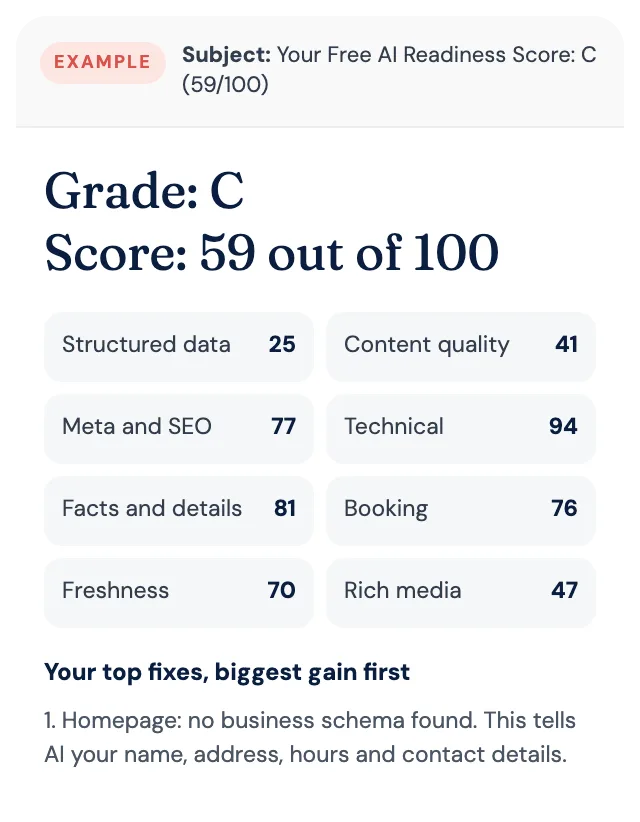
Free AI Readiness Score
How well does AI read your website?
Get your grade, a score out of 100 and your top fixes, by email. Free for tourism operators. No login and nothing to install.