
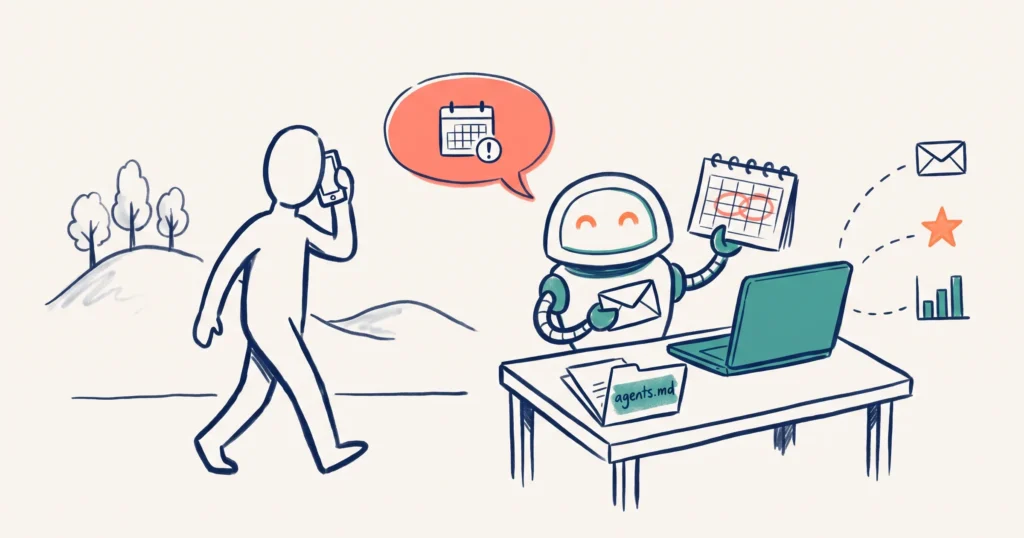
An AI personal assistant is an AI tool that reads your email and calendar and offers to act before you ask, while scheduled tasks and agents do set jobs on a timetable. In our 27 October Tourism Tech Session, Fabienne Wintle ran a round table with members on how they use ChatGPT, its Dot personal assistant and connected agents in their tourism businesses, and how to give those tools the right context and access.
Jump to: Assistant or scheduled task | Give your AI a standing brief | Connect your tools | Search Console and Analytics | Also discussed | Things to try this week
Watch the recording
Members will see the replay when logged in. Log in here.
What are Tourism Tech Sessions?
Our Tourism Tech Sessions are twice monthly group coaching calls designed to support AI Enablement Plan members, whether you’re a direct member or a participant of one of our tourism digital capability programs. These sessions provide a space to:
- Learn the latest developments in tourism tech
- Ask questions in a safe, supportive environment
- Hear real-life examples and get practical demos
- Get the confidence to implement what you’ve learned
If you’re not a member, this article will walk you through the key takeaways. Join an AI Enablement Plan to access future Tourism Tech Sessions and have an expert at your fingertips to ask your business-specific questions.
AI personal assistant or scheduled task: which do you need?
Start with scheduled tasks. Move to a personal assistant once your tools are connected. Fabienne described three levels of ChatGPT:
- Plain chat: a chat window with no business context. Fine for one-off questions, though a Google search often does the same job without using your AI allowance.
- ChatGPT work: connected to your email, calendar, Drive and other apps, and able to run scheduled tasks, such as an inbox clean-up every week. It acts when the schedule tells it to.
- Dot: ChatGPT’s personal assistant, which sits on top of your connected work account. It is proactive. It notices a clash in your diary or a bill you have not paid and asks whether you want it handled.
Members shared how this works in their businesses:
- An accommodation operator runs a daily inbox audit across three inboxes. ChatGPT reads each enquiry, checks the guest’s history in their Pipedrive CRM and reports what needs doing. A request for a grazing box and early check-in triggers the follow-up steps.
- A venue operator set up ChatGPT with their packages and staff procedures, then added Dot. Within a week it was flagging diary conflicts and drafting replies in their own tone.
- A Sydney operator uses a weekly scheduled task to find local events and draft Instagram captions for them.
Dot needs the premium plan, which Fabienne put at about $170 a month. Her warning: get your ChatGPT work account connected to your email, calendar and files first. If you skip that step, the assistant has little to work with and you will get frustrated. Expect to set aside a weekend for it.
We covered the bigger picture in Personal AI Agents: The Next Step in AI Automation.
Give your AI a standing brief with an agents.md file
An agents.md file is a short instruction sheet that sits at the top of a project folder. Every major AI tool, including Claude and ChatGPT, reads it at the start of a conversation, so you do not have to explain your business again each time.
Fabienne keeps one folder per area of the business, each with its own agents.md:
- The parent folder says who you are and where your key business documents live.
- Each project folder (website, marketing, finance) adds what is specific to that work, such as which platform your website runs on.
- Keep each file short. The AI reads the whole file every time, and a long file that points to more documents fills its memory and uses up tokens before you have asked anything.
- Add rules that save you time. One Fabienne suggested: “Never leave me hanging at the end of a conversation. Always tell me what I should do next.”
One member keeps ChatGPT projects for WordPress, marketing and procedures, and asks the AI to work inside the matching project so it stays on track. Working across two computers is still awkward. Fabienne syncs her folders through Dropbox so staff see the same files, and noted that small business tools do not yet make this simple.
Connect your tools with APIs and MCPs
When an AI agent clicks through a website for you, it works one item at a time and often stalls. A direct connection is faster and can run on a schedule. Members raised three cases:
- Google Business Profile reviews. A member asked Dot to reply to reviews. Dot works on its own separate computer, so it could not see her browser and wrote the replies into documents instead. Fabienne’s fix: tell Dot to work live online rather than in documents, and apply for Google Business Profile API access. Approval takes about two weeks. After that, a weekly routine can draft review replies in your voice and pull review insights for blog topics and profile posts.
- Tools with no ChatGPT plugin. Use an MCP (Model Context Protocol), a connector that lets the AI talk to another tool in plain English. One member asked ChatGPT to give it read, write and automation access to Pipedrive. ChatGPT listed what it needed and walked her through the setup in about ten minutes.
- Plugins from GitHub. If a plugin is missing from your ChatGPT business account, you can build your own or add one from GitHub, where developers share them.
Fabienne’s advice for all of this: pay for the better model, give it a full brief at the start and let it work, rather than correcting every step. That saves both time and tokens.
Track your rankings with Search Console and Analytics
Connect Google Search Console and Google Analytics to your AI and it can tell you why your rankings changed, without you opening either tool. Fabienne has a weekly Search Console check that runs on its own. When traffic dropped, it matched the drop to a schema change she had made.
One member gets a report every Monday morning showing page views, time on page and site errors. She set it up by asking ChatGPT what she needed to connect to see who visits, how long they stay and why they leave.
Several members asked how to set this up, so Fabienne wrote a step-by-step guide for members. It has three parts:
- Set up a Google Cloud project and turn on the Search Console API and Google Analytics Data API.
- Create a read-only service account and add it as a user in Search Console and Google Analytics.
- Connect it to Claude Code or Codex and ask questions such as “Which keywords am I on page 2 for that I could push onto page 1?”
You can also schedule a weekly competitor check. Every web page records the date it was last changed, so the AI can report which competitor or regional pages were updated recently.
Also discussed
- Found through ChatGPT. A multinational PR firm contacted one member’s venue after ChatGPT named it the top choice in the region. The member had posted to their Google Business Profile every three days for two months and launched a new website.
- Building WordPress pages with AI. A member was quoted $11,500 for four website pages. She had a developer build the first page and booking widget as a template, then built the rest herself with ChatGPT in about four weeks, testing on a staging site.
- Ask what you have missed. Ask “What haven’t I thought of?” and get the AI to look at what competitors are doing.
- Competitor tables. A member had ChatGPT compare regional competitors on amenities, accessibility and pet-friendliness. The frank feedback started a new project focused on a local landmark.
- Google Business Profile events. An event post disappeared because it had no end date. Add an end time to every event.
- Research without using up ChatGPT. Run long research jobs in Gemini Deep Research in Google Workspace.
- robots.txt and sitemaps. Your robots.txt file tells crawlers what they can read. Your Rank Math sitemap lists your pages and when each was last changed, which helps search engines and AI tools find new content.
Things to try this week
- Connect ChatGPT work to your email, calendar and files before you consider a personal assistant.
- Write a short agents.md for your main business folder: who you are, where your key documents live and one rule about telling you what to do next.
- Apply for Google Business Profile API access now, because approval takes about two weeks.
- Set up one weekly report from Search Console or Google Analytics.
- Ask your AI “What haven’t I thought of?” about one project you are working on.
Want to get your tourism business more visible online?
AI assistants work best when they can read your data and your business context. If you want help setting that up, Tourism Tribe offers three ways to help:
- GEO Assessment: find out how visible your business is to AI tools right now
- Digital Direction Plan: a personalised roadmap for your digital and AI strategy
- AI Enablement Plans: ongoing access to Tourism Tech Sessions, tools, and hands-on support
What is the difference between ChatGPT scheduled tasks and an AI personal assistant?
A scheduled task runs a set job at a set time, such as clearing your inbox every Monday. An AI personal assistant, like ChatGPT’s Dot, is proactive. It reads your email and calendar, spots things you have not asked about, such as a diary clash or an unpaid bill, and offers to deal with them. Most tourism businesses should get scheduled tasks working first, because the assistant relies on the same connections.
What is an agents.md file?
An agents.md file is a plain text file at the top of a project folder that tells an AI tool who you are, what the folder is for and the rules to follow. Claude, ChatGPT and most other AI tools read it at the start of every conversation, so you stop repeating the same background. Keep it short, because the AI reads the whole file every time and a long one uses up your tokens.
How do I connect ChatGPT to a tool that has no plugin?
Ask ChatGPT to help you build a connection called an MCP (Model Context Protocol), which lets the AI talk to another tool in plain English. Tell it what you want the connection to do, such as read records, make changes and run automations, and it will tell you what details it needs from the other tool. You can also add plugins other people have built from GitHub.
Can AI reply to my Google Business Profile reviews automatically?
Yes, but it works best through the Google Business Profile API rather than an AI clicking through the screens one review at a time. Google takes about two weeks to approve API access. Once approved, you can schedule a weekly routine that drafts replies in your own voice and pulls review insights for blog ideas and posts.
Do I still need to log in to Google Search Console myself?
Not for most questions. Once Search Console and Google Analytics are connected to Claude or ChatGPT with read-only access, you can ask which keywords you lost this month or which pages bring visitors from AI tools, and get answers from your own data. You can also schedule a weekly report so the numbers come to you.

Your free AI marketing coach, right in your pocket
The free Pocket Rocket app gives you a personal AI marketing coach, website audit, weekly action plans and 5-minute tips. Built for tourism operators.