
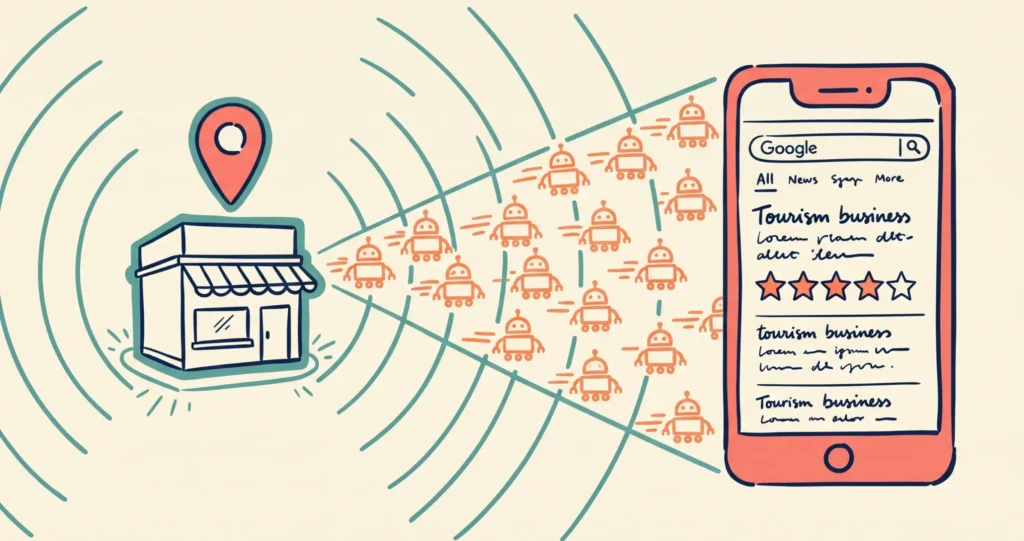
In this Tourism Tech Session, Fabienne showed tourism operators how to check which AI tools are visiting their website and what to do to show up more often in Google’s AI Overviews. The session covered Cloudflare server logs, the new AI assistant traffic category in Google Analytics, schema markup, and Google Business Profile improvements that operators can act on right away.
Quick links: Why AI traffic isn’t in Analytics | How to see AI bots visiting your site | Schema markup | Google Business Profile | Connecting GBP to Analytics | Things to try this week
Watch the Recording
Members will see the replay when logged in. Log in here.
What Are Tourism Tech Sessions?
Our Tourism Tech Sessions are twice monthly group coaching calls designed to support AI Enablement Plan members, whether you’re a direct member or a participant of one of our tourism digital capability programs. These sessions provide a space to:
- Learn the latest developments in tourism tech
- Ask questions in a safe, supportive environment
- Hear real-life examples and get practical demos
- Get the confidence to implement what you’ve learned
If you’re not a member, this article will walk you through the key takeaways. Join an AI Enablement Plan to access future Tourism Tech Sessions and have an expert at your fingertips to ask your business-specific questions.
Why AI Traffic Doesn’t Show Up in Google Analytics
Most AI interactions are “no-click.” When someone asks ChatGPT or Perplexity a question and the AI answers using your content, the user often doesn’t visit your website. That referral never appears in Google Analytics.
This gap is widening. AI tools now resolve many queries directly, so a business can be mentioned and cited in an AI-generated answer without generating a single tracked session. Google Analytics has added an “AI assistant” category under traffic acquisition, but it only captures the clicks that do happen No-click referrals stay invisible. That category only captures users who saw an AI-generated answer and then clicked through.
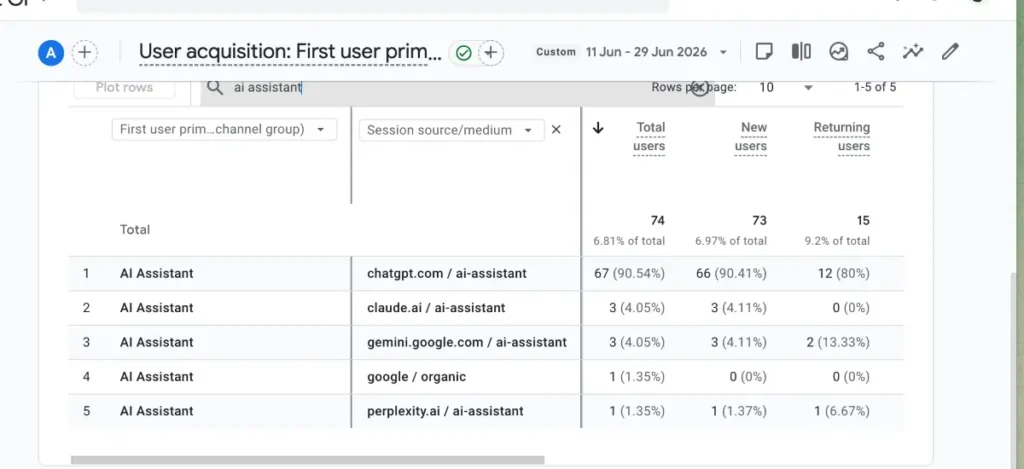
The practical implication: a flat or declining session count can sit alongside increasing AI citations. You need a different set of signals to measure what AI is actually doing for your business.
How to See Which AI Bots Are Visiting Your Website
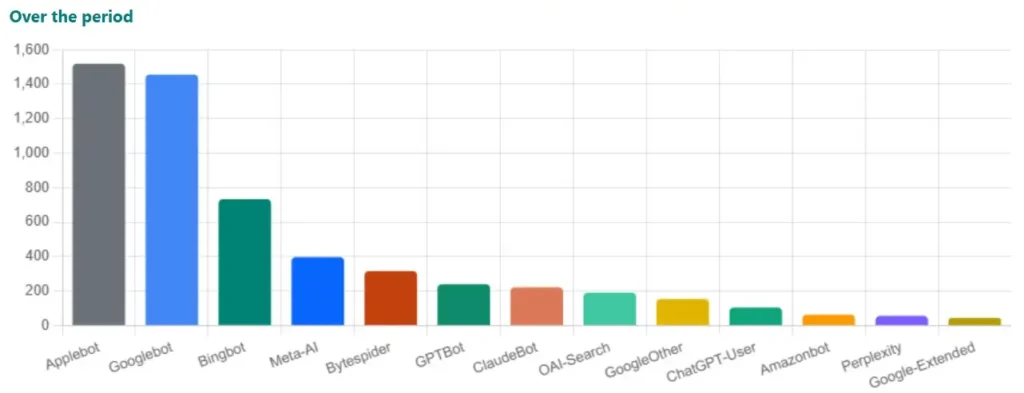
Server logs are more complete than Analytics. Cloudflare logs every request to your website, including visits from bots that Analytics filters out or never sees.
Two types of AI activity show up in server logs:
- Crawlers index your site periodically, building the knowledge base an AI tool draws on when answering queries.
- Fetch bots access specific pages in real time to answer a user’s question right now.
In Cloudflare, you can see which bots are visiting and how often. Common ones include Applebot and Google Other.
You can also selectively block or allow specific crawlers. This is useful if you want to exclude certain services or test the effect of blocking on your traffic. Just make sure not to block the bots that allow your business to appear in AI search answers.
Google Search Console is useful alongside this. Check which keywords are performing well, then search those terms in AI tools to see whether you appear in generated answers.
Schema Markup: Making Your Content Readable for AI
Schema markup is structured data added to your website that tells AI crawlers what your page is about, what type of business you run, and what information each page contains. Without it, AI tools have to guess at your content structure. With accurate schema, they can confidently cite you when a relevant query comes in.
For tourism operators, the most useful schema types are:
- LocalBusiness (with the correct sub-type for your operation)
- TouristAttraction or LodgingBusiness, depending on your type
- Event, for scheduled tours or experiences
- FAQPage, which captures question-based queries directly
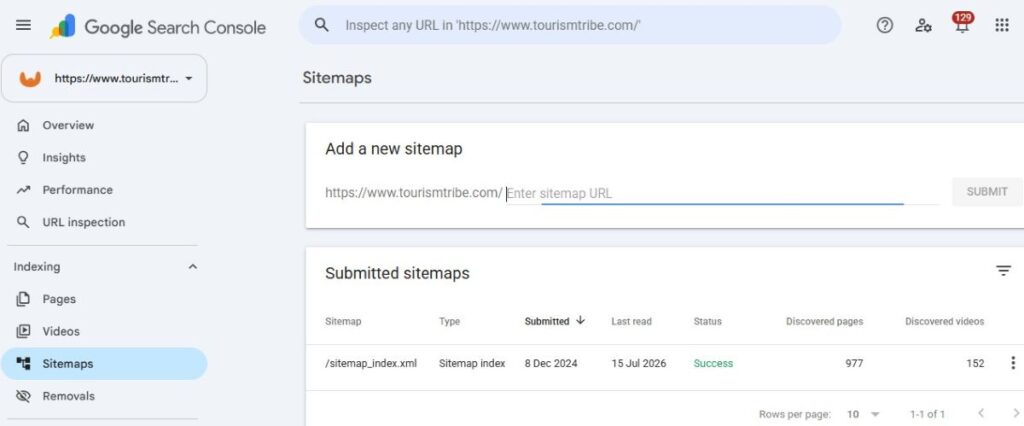
A sitemap correctly linked in Google Search Console is a prerequisite. If it’s not connected, AI and search bots may miss entire sections of your site. Check it under Sitemaps in the Search Console left menu.
Google Business Profile: The Strongest Signal You Control
Your Google Business Profile (GBP) is the primary connection between your business and Google’s AI Overviews and Maps results. Updating it consistently is one of the highest-return activities a tourism operator can do right now.
Post twice a week. Consistent posting signals to Google that your business is digitally active. Short posts about your experience, an upcoming event, or a seasonal tip all work. One practical approach: write Google-specific posts that are separate from your Instagram or Facebook content. Custom Gems in ChatGPT or Gemini can help here. Set one up with your brand voice and profile details, and you can generate a week’s worth of GBP posts in a few minutes while keeping them consistent.
Fill every section. Categories, products, services, activities, amenities. Fill them all. The features available to you, such as booking links and ticket listings, depend on which categories you’ve selected. If your profile is missing a booking feature, check your category settings first.
Share your Google Maps link everywhere. Every “Get Directions” click is a positive signal to Google. Add your direct Google Maps share link to pre-arrival emails, text messages, and booking confirmations. This is one of the simplest changes with a direct measurable effect.
Respond to Google’s prompts. When Google emails you asking to confirm opening hours or update information, respond. Engaging with these signals tells Google your business is active. Check your profile regularly. Google doesn’t notify you when new features or prompts appear in the interface.
Google Things to Do integration lets tourism operators show ticket availability and pricing directly in Google search results. The data pulls from your booking system. If your admission fees or availability appear incorrectly on your profile, check your booking system’s Google Things to Do settings. Operators using systems with a Magpie integration can connect through that.
Connecting Your Google Business Profile to Google Analytics
Linking your GBP to Google Analytics lets you see direction request counts and website click-throughs inside your Analytics dashboard. Go to Admin in Google Analytics and look for the Google Business Profile integration. The data takes a few days to populate after the initial connection.
Once it’s live, watch direction requests. If you start including your Google Maps share link in pre-arrival emails and see the direction request count rise in Analytics, you have a direct line of evidence that the change is working.
Things to Try This Week
- Check your sitemap in Google Search Console. Go to Sitemaps in the left menu. If your sitemap isn’t listed, submit it now so AI bots can index your full site.
- Log into Cloudflare (if your website uses it) and look at bot traffic. Note which AI crawlers appear and how often. This is your baseline for tracking AI activity over time.
- Add your Google Maps share link to the next pre-arrival email or text you send to a client. Watch direction request counts in your GBP analytics over the following days.
- Post to your Google Business Profile this week. One post is a start. Aim for two per week going forward. Keep it short: what’s on right now, a seasonal tip, or a photo from your experience.
- Review your GBP categories. Check that the categories you’ve selected reflect your full offering. If booking or ticket features are missing from your profile, category selection is the first place to investigate.
- Connect your GBP to Google Analytics. Go to Admin in Google Analytics and follow the Google Business Profile integration steps. Come back in a week to see direction requests and profile click data.
Want to get your tourism business more visible online?
Tracking AI visibility and keeping your Google Business Profile active are two parts of a bigger picture. Getting found by AI tools, search engines, and travellers takes consistent effort across several channels. Tourism Tribe offers three ways to help:
- GEO Assessment: find out how visible your business is to AI tools right now
- Digital Direction Plan: a personalised roadmap for your digital and AI strategy
- AI Enablement Plans: ongoing access to Tourism Tech Sessions, tools, and hands-on support
Does Google Analytics track traffic from ChatGPT or other AI tools?
Google Analytics now includes an “AI assistant” category under traffic acquisition that captures visitors who clicked through to your website after finding you via an AI-generated answer. However, most AI referrals are no-click: the AI answers a query using your content without the user navigating to your site. These zero-click referrals don’t appear in Google Analytics at all, so your Analytics data underestimates the impact AI tools are having on your visibility.
How do I find out which AI bots are crawling my tourism website?
If you use Cloudflare, server logs through Cloudflare show every request to your site, including AI crawlers that don’t appear in Google Analytics. Log into your Cloudflare dashboard and look at bot traffic. You’ll see tools like Applebot, Google Other, and various AI crawlers. Cloudflare also lets you selectively allow or block specific bots if needed.
How often should I post to my Google Business Profile?
Twice a week is the target. Consistent posting signals to Google that your business is active, which improves your standing in search results and Google’s AI Overviews. Short posts about your experience, upcoming events, seasonal offers, or visitor tips all work well. Creating a custom Gem in ChatGPT or Gemini with your brand voice and profile details makes it faster to write GBP posts without losing consistency.
What is Google Things to Do and how does it affect my tourism business?
Google Things to Do is a Google programme that lets tourism operators show ticket availability and pricing directly in Google search results. The data pulls from your booking system, so setup depends on which platform you use. If your admission fees or availability appear incorrectly on your Google Business Profile, check your booking system’s Google Things to Do settings or contact your booking provider about their Google integration.
What is schema markup and why does it matter for AI visibility?
Schema markup is structured data added to your website that tells AI tools and search engines what your page is about, what type of business you run, and what information is on each page. Without it, AI crawlers have to interpret your content themselves, which can lead to incomplete or incorrect citations. Adding schema for your business type (LocalBusiness, TouristAttraction, Event, or FAQPage depending on your operation) helps AI tools confidently identify and cite your business when answering relevant queries.

Your free AI marketing coach, right in your pocket
The free Pocket Rocket app gives you a personal AI marketing coach, website audit, weekly action plans and 5-minute tips. Built for tourism operators.