
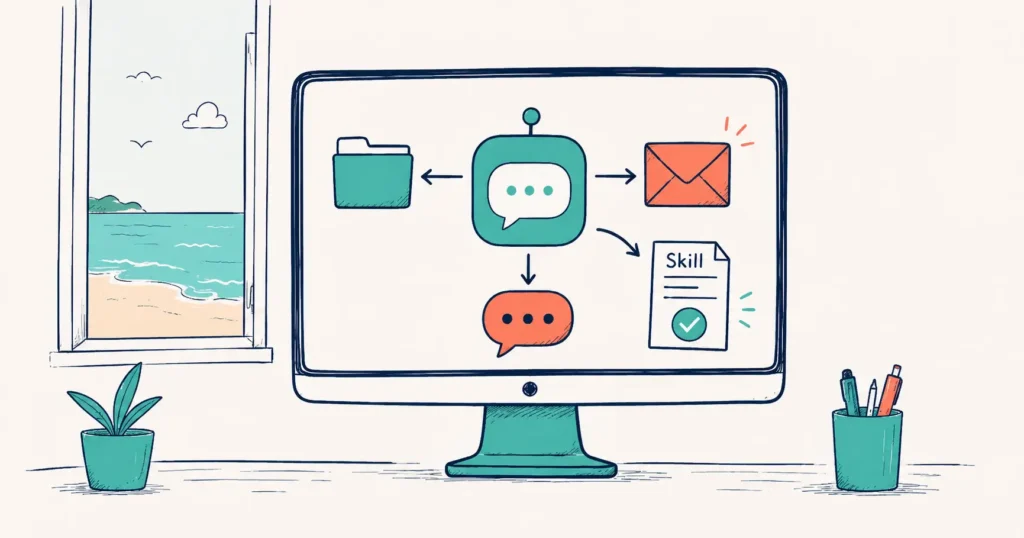
In this Tourism Tech Session, Fabienne Wintle demonstrated the new ChatGPT for Work desktop app, showing how tourism operators can connect their tools to AI, create reusable automation templates called “Skills”, and automate tasks like review responses and social media posts without writing a line of code.
On this page: Watch the recording | What is ChatGPT for Work? | MCP servers | AI Skills | Managing context | Browser automation | Account strategy | Things to try
Watch the recording
Members will see the replay when logged in. Log in here.
What are Tourism Tech Sessions?
Our Tourism Tech Sessions are twice monthly group coaching calls designed to support AI Enablement Plan members, whether you’re a direct member or a participant of one of our tourism digital capability programs. These sessions provide a space to:
- Learn the latest developments in tourism tech
- Ask questions in a safe, supportive environment
- Hear real-life examples and get practical demos
- Get the confidence to implement what you’ve learned
If you’re not a member, this article will walk you through the key takeaways. Join an AI Enablement Plan to access future Tourism Tech Sessions and have an expert at your fingertips to ask your business-specific questions.
What is ChatGPT for Work?
OpenAI recently rebranded its Codex desktop product into a new app called ChatGPT for Work. The paid tier (Plus or Business, from $20/month) includes a desktop application that sits on your computer and can interact with your files, Google Drive, and other applications directly.
This mirrors what Claude has offered in its “Co-work” feature. The difference is that ChatGPT’s version is built into a familiar interface that most operators already use. If you’re already on a ChatGPT Plus plan, the desktop app is included in what you’ve paid for.
Fabienne noted that ChatGPT currently offers more token value per dollar than Claude at the equivalent plan tier. Comparable output for a lower cost, which matters when you’re running automations regularly.
How MCP servers connect your apps
MCP stands for Model Context Protocol. Think of it as a universal translator between AI and your existing tools. When ChatGPT for Work connects to Google Drive, Gmail, Slack, or Google Sheets via an MCP server, you give instructions in plain English rather than needing a programmer to build a custom integration.
Fabienne demonstrated this live during the session. She connected the desktop app to her Google Drive and asked it to find a transcript from a previous Tech Session and turn it into a slide deck. The AI worked through the task step by step, narrating each action, and produced a Google Slides presentation with a summary visual pulled directly from the transcript.
Connectors available in the session demo included Google Drive, Gmail, Slack, Google Sheets, and Booking.com (read-only property search). More are being added continuously through a growing plugins and integrations library.
Building AI Skills for your business
An AI “Skill” is a reusable set of instructions, similar to a job description for a repeatable task. You define it once, and the AI follows it consistently every time you run it. Fabienne described a Skill as creating a “perfect employee” for a specific role: it knows the rules, the tone, and the format you want.
During the session, a participant asked whether ChatGPT could respond to Google Business reviews. Fabienne built the Skill live. The result: a structured markdown document that acts as part of an operations manual, generated by the AI from the conversation without anyone manually writing a template.
You don’t have to write Skills from scratch. Pre-built Skills for common tasks (SEO, AEO, social media, customer communications) are available on GitHub. The Skills section inside the ChatGPT desktop app also has a “create with chat” option, so you can describe what you need and the AI drafts the Skill for you.
Managing AI context to get better results
Fabienne covered an important technique for anyone doing regular AI work: keep your sessions “lean” by using external reference files rather than pasting all your business information into the chat window each time.
The principle: save your voice guidelines, standard descriptions, pricing, and key messages as a markdown file. When you start a new task, tell the AI to reference that file. This keeps the active conversation focused, which improves output quality over longer sessions. It also means you don’t repeat yourself every time you open a new chat.
Fabienne’s analogy: you wouldn’t read your entire operations manual aloud to a new employee. You’d tell them where to find it and let them refer to it as needed. AI works the same way.
Browser automation when APIs aren’t available
When a tool doesn’t offer an API connection, ChatGPT can take control of your browser and perform tasks through the user interface – moving the cursor, clicking buttons, and navigating pages as a human would. The ChatGPT Chrome extension enables this.
During the session, Fabienne attempted this with Google reviews and TripAdvisor. Google’s browser security policy blocked it in that specific setup. The approach works for many other tools when the extension is properly configured on your own device.
Fabienne’s key rule: always test any browser automation workflow after setting it up. Automations can break other parts of a site in ways that aren’t immediately obvious. Send the AI to check what it did, not just to do it.
She also shared her own nightly automation as a practical example: an agent monitors for the latest tourism news, creates social media carousel posts from that content, and pushes them through Buffer to Instagram and Facebook, without any manual work after the initial setup.
ChatGPT tokens and account strategy for small teams
Tokens are the currency of AI platforms. Each plan gives you a monthly budget. Once you’ve spent it, you wait until the next month or pay extra. Fabienne noted she’d used 61% of her Claude model allocation for the period and had paid an extra $100 on one occasion after hitting the plan limit during a heavy-use week.
For small tourism teams, her advice was clear: share one ChatGPT account rather than upgrading to separate business accounts. Business plans ($20/user/month) deplete credits faster for small teams because each user draws from a smaller individual budget. A shared account also preserves conversation history and context across the team. Work done on TripAdvisor one day carries over to the next session.
The session also touched on distribution choices for accommodation operators. Google Hotels, available through your Google Business Profile, shows booking intent directly in Google Search and Maps. Fabienne advised monitoring Google Business analytics first to understand where bookings are actually coming from before committing to any platform upgrade.
Things to try this week
- Install the ChatGPT desktop app. If you have a Plus plan, download it from the ChatGPT website. Open the connectors section and connect Google Drive. Ask it to find a document and summarise it.
- Create a review response Skill. Open a new ChatGPT chat and describe how you like to respond to reviews. Include your tone, what to include and what to avoid. Ask it to write you a Skill document based on the conversation. Save it for next time.
- Build a lean reference file for your business. Write a single markdown document containing your voice guidelines, key service details, and standard messages. Reference it in AI conversations instead of re-pasting the same information each time.
- Check your current tools for API access. Before setting up browser automation, look at whether your channel manager, booking system, or CRM offers API access on your current plan. API connections are more reliable than browser control.
- Check your Google Business listing analytics. Before deciding on ATDW or Google Hotels, look at where your actual traffic and bookings come from in your Google Business dashboard.
Want to get your tourism business more visible online?
Automating repetitive tasks frees up hours each week for what matters most. Tourism Tribe offers three ways to help:
- GEO Assessment: find out how visible your business is to AI tools right now
- Digital Direction Plan: a personalised roadmap for your digital and AI strategy
- AI Enablement Plans: ongoing access to Tourism Tech Sessions, course library, AI tourism expert assistant, tools, and hands-on support
What is ChatGPT for Work and how does it differ from standard ChatGPT?
ChatGPT for Work is a desktop application from OpenAI that lets you connect AI to your existing tools like Google Drive, Gmail, Slack, and Google Sheets using Model Context Protocol (MCP) servers. Standard ChatGPT runs in the browser. The desktop app sits on your computer and can interact with your files and applications directly, without requiring any coding or custom integrations. It also gives the AI the ability to take control of your screen and replicate mouse movements when a direct API connection is not available.
What is an AI Skill in ChatGPT and how do I create one for my tourism business?
An AI Skill is a reusable set of instructions that tells the AI how to handle a specific task every time. Think of it like a job description: you write it once and the AI follows it consistently. You can also find pre-built Skills on GitHub for common tasks like SEO, customer communications, and social media.
How do I connect ChatGPT to Google Drive and other business apps?
Open the ChatGPT desktop app and go to the connectors section. Choose the app you want to connect, Google Drive, Gmail, Slack, or Google Sheets, and grant access. Once connected, you can ask ChatGPT in plain English to find files, summarise documents, or pull data from your spreadsheets. The connection uses Model Context Protocol (MCP) servers, so no coding is required. You give instructions the same way you would in any normal ChatGPT conversation.
What is browser automation in ChatGPT and when should I use it for my tourism business?
Browser automation lets ChatGPT take control of your web browser, moving the mouse and clicking buttons as a human would. This is useful when a tool you use does not have a direct API connection. The ChatGPT Chrome extension enables this capability. In a recent demonstration it worked with TripAdvisor and Google reviews, however, Google pages blocked it due to browser security policies. For other tools, it works well when set up on your own device. Always test automated browser workflows thoroughly to make sure nothing has broken in other parts of your system.

Your free AI marketing coach, right in your pocket
The free Pocket Rocket app gives you a personal AI marketing coach, website audit, weekly action plans and 5-minute tips. Built for tourism operators.