
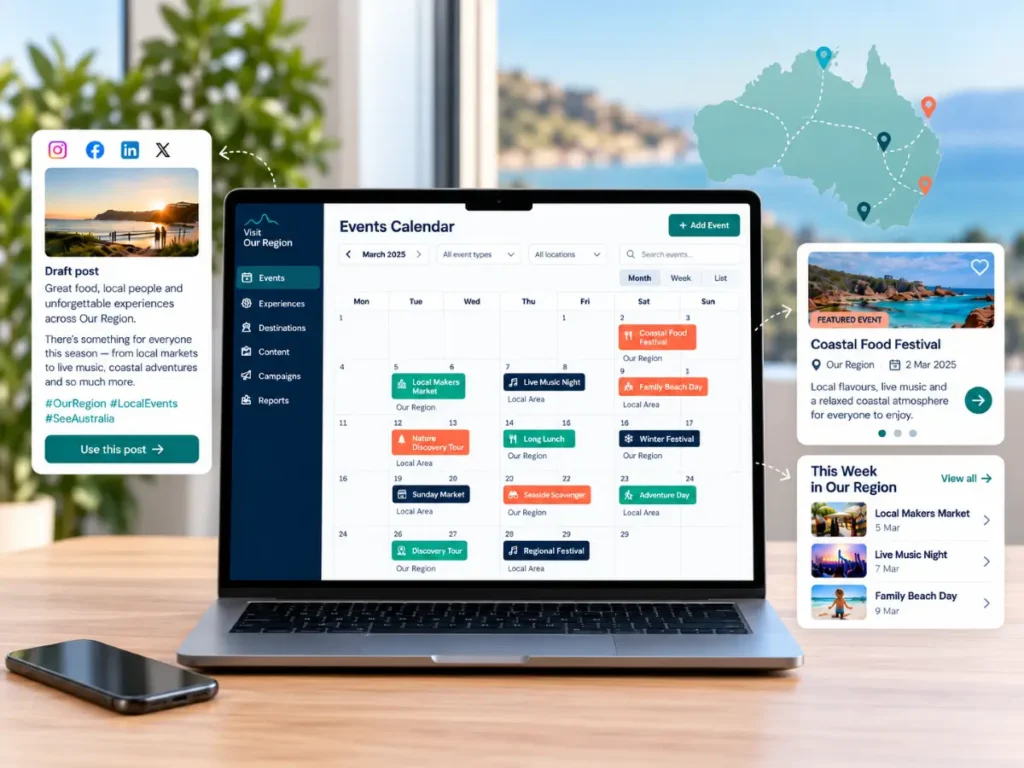
Imagine opening your event listings and finding the latest submissions edited into your destination’s style, with missing details flagged for checking. The information your partners emailed for an upcoming festival is organised in one place. Your monthly report has a first draft, drawn from the work your team has already recorded.
What would that make room for in your week? More time with operators? A partnership you’ve been meaning to follow up? A visitor experience project that keeps getting pushed back?
These are the kinds of opportunities we explored in Tourism Tribe’s GPT-6 Astra at work for DMOs session in September 2026. Fabienne Wintle demonstrated several AI workflow possibilities that destination marketing organisations could get up to save time and worked through questions from participants, looking at how AI could help with the jobs already on their desks.
What if the next step happened automatically?
Many destination teams already use AI to write or edit content. But most have stopped at the point where the content is created within the chat window, then a lot of time is wasted with copying and pasting. The bigger opportunity is to connect the whole job: recognise when work arrives, collect the information, apply your instructions, update the right system and let you know when it is done.
An event submission could set a process in motion without anyone copying text between windows. Or the first working day of the month could trigger a report that arrives in your inbox ready to review. Your team sets the process up once, then it runs whenever the agreed trigger occurs.
With suitable tools, connections and permissions, routine steps can be automated from start to finish. You decide which outputs can go straight through and which need approval. Here are three ways that could change the working week for your destination marketing organisation, regional tourism organisation or council tourism team.
An event calendar that does the editing and uploading for you
An organiser submits an event through your website. By the time your team opens the listing, the description is in your destination’s voice, the information is in the right fields and any missing details are clearly identified. Nobody has had to copy it into an AI tool and paste it back again.
Here is how you could configure that workflow:
- A new submission starts the job. The website passes the event details to the workflow as soon as they arrive.
- AI applies your editorial instructions. It rewrites the supplied description in your preferred tone, formats the copy and checks for required details such as the date, venue and booking link.
- The website is updated automatically. The edited description and event details are placed in the relevant listing fields.
- Exceptions take a different path. An incomplete date, conflicting detail or possible duplicate is flagged, with a draft question for the organiser if needed.
- The listing moves to the next stage. Your team receives a ready to approve draft. Once approved, the workflow can publish it. For submissions that meet agreed rules, you could also configure automatic publication and send only exceptions to a person.
What this gives your team: a calendar that keeps moving as submissions arrive, with people concentrating on the listings that need judgement. An event organiser’s next submission starts the same process again, without someone having to remember to run it.
The capability worth learning is how to turn your editorial knowledge into a repeatable process: what a good listing looks like, which checks matter and what should happen when something is missing.
A regional event program that assembles itself as contributions arrive
You are coordinating a regional festival. Museums, attractions, councils and event organisers send information in emails and Word documents. Instead of spending Friday pulling it all together, you open a shared spreadsheet and find the contributions already organised, with a draft program ready to work from.
A workflow could handle that collection and preparation automatically:
- Check the agreed inbox or folder on a schedule. Each morning, the workflow looks for new contributions and updates relating to your program.
- Extract the details. AI reads the emails and supported attachments, identifies event names, dates, times, venues, descriptions and booking links, then places them into consistent spreadsheet columns.
- Match updates to existing entries. A revised event time updates the relevant record rather than creating another event. Uncertain matches and conflicting information are flagged.
- Prepare the program. The workflow sorts confirmed entries by date or location and uses your template to create an updated program draft.
- Send the team a useful update. You receive a link to the latest program, a summary of what changed and a short list of missing details to resolve.
What this gives your team: one current working program, source links beside the information and a clear view of what still needs attention. The collection, sorting and drafting can happen on schedule, even while you are out meeting operators.
The same approach could support a seasonal visitor guide or a collection of operator updates. Once you know how to define the information you need and connect the sources, you can adapt the process to another job.
A monthly report that arrives before you start chasing the information
Picture the first working day of the month. A draft report arrives with the previous month’s activity organised under your board, council or funding body’s reporting headings. Supporting records are linked, outstanding figures are flagged and the document is already in your usual format.
A reporting workflow could take care of the preparation each month:
- The reporting date triggers the work. The workflow uses the previous month as its reporting period, so nobody has to start a new chat or rewrite the brief.
- Gather the agreed records. It retrieves relevant information from the project documents, activity logs, spreadsheets and email folders your organisation has authorised it to use.
- Apply your reporting instructions. AI groups the evidence under the required headings, summarises activity and draws figures from the nominated sources.
- Create the document. The workflow fills your reporting template, links supporting evidence and marks gaps that need a person’s input.
- Deliver it to the right person. The report is saved in the agreed folder and your team receives a link, ready to add interpretation and approve the final version.
What this gives your team: the preparation completed before the reporting deadline becomes a scramble. You can spend your time explaining what the activity means for your region, deciding what happens next and giving your board useful insight.
A reusable set of instructions captures the format, evidence requirements and reporting rules. When those requirements change, you update the instructions once and use them again next month.
The valuable skill is knowing how to connect the work
Each of these examples starts with work your team already understands. You know the questions visitors ask, the information operators supply and what your stakeholders need from a report. That knowledge is the foundation for useful automation.
The next capabilities to build are practical: choosing a trigger, connecting the right information, writing instructions the AI can follow, deciding how to handle exceptions and testing the result. Together, these let you turn a recurring job into a process that can run without someone guiding every step.
Good examples help. An approved event listing shows the tone you want. A previous report shows the structure. A program template shows where each piece of information belongs. Your team can turn these into shared instructions that colleagues can use and improve.
This is where practical guidance makes a difference. Learning with your own tourism workflows helps you see which connections are missing, what can be automated and how to make the result useful in the systems your team works in every day.
What would you do with that time back?
More operator visits. More attention to a regional partnership. Time to develop an experience that gives visitors another reason to stay. Those are tangible reasons to build these capabilities now.
A recurring task offers a recurring opportunity. If it comes around every week or every month, every successful run can return time to your team. The sooner you establish one useful workflow, the sooner you can benefit from it and apply what you have learnt to the next one.
Choose a job that happens often and has a clear result. Map what starts it, where the information comes from, what needs to happen and where the finished work should go. That gives you a concrete starting point for learning and a way to measure the difference.
Turn the possibilities into a plan with Compass
These workflows sit within Activate AI, one part of Tourism Tribe’s Compass AI Playbook for DMOs and tourism organisations. Compass connects this work with capturing your organisation’s knowledge, making it usable by AI, supporting operators, establishing safeguards and showing the value.
Tourism Tribe can help your team identify a worthwhile starting point in your AI adoption process and show you how to put the pieces together. We can do an in-depth analysis of where you sit in terms of AI readiness and what your next best steps are. Then we can build a plan together, train your staff and support you along the adoption process.
Your team again practical capabilities it can keep using and in the process, builds workflows that gain you time back. That experience also puts you in a stronger position to help tourism operators understand what AI could do in their own businesses.
Explore the Compass framework, or talk to Tourism Tribe about practical AI training for your team. Start with one job you would love to have taken care of, and let’s work out how to make it happen.
Common questions about AI workflows for DMOs
Can a workflow run without someone prompting the AI each time?
Yes, when the chosen tools support the required connections and scheduled or event based triggers. Once configured, the workflow can collect information, process it and deliver the output automatically. You decide whether publication or sending happens automatically too, or whether the completed work waits for approval.
Can we use the tools our team already works with?
Often, existing website, email, document and spreadsheet systems can form part of the workflow. The available connections and your organisation’s access requirements determine the setup. Start with the job you want completed, then establish which tools can carry it through.
How do we know whether the workflow is helping?
Compare the time and effort required with your usual process, including any review and corrections. Check accuracy, consistency and whether the output is ready when your team needs it. These measures give you something concrete to show colleagues and decision makers.
- C
- O
- M
- P
- A
- S
- S
Convince the board · Out of heads · Make it queryable · Prime operators · Activate AI · Safeguard · Show the value
COMPASS: AI Playbook for DMOs
Turn this into your region’s AI strategy
COMPASS is the seven-move AI playbook for DMOs and tourism organisations.