
Clear, accessible information online is essential for travellers with disabilities. Whether it’s on your website or social media, sharing your accessibility features helps guests plan with confidence and improves your visibility in search results and AI tools.
This article showcases standout tourism businesses that do it well, from detailed accessibility pages to social posts with universal alt text, showing how simple digital updates can make a big impact.
Great examples of accessibility pages on tourism operator websites
- Global Ballooning Australia has been a leader in Accessible tourism since 2012 by introducing a basket that is accessible for people with disabilities. Their accessibility page includes answers to many accessibility questions in a rich and engaging way.
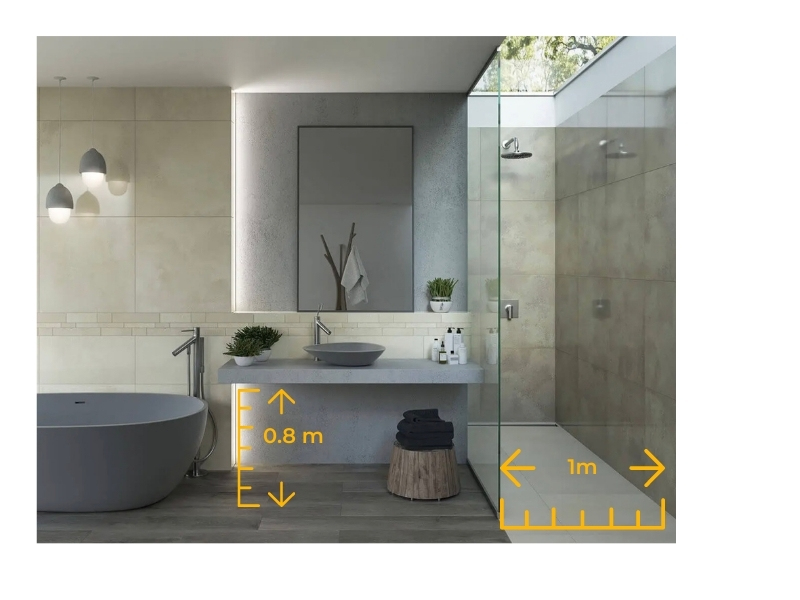
- Yarraman Caravan Park and Cabins have a great accessibility page that addresses accessibility offerings, features, amenities with photos and measurements to provide comprehensive details of their offerings and how they cater to people with disabilities.
- We love that the Coffs Coast Accommodation website has created an accessible category for their properties. You can see that they have categorised their accommodation according to accessibility, and then used that category to create a dedicated page for accessibility.
- Katherine Outback Experience have created both a webpage and a guide to fully outline how accessibility has been considered to assist guests with planning their visit.
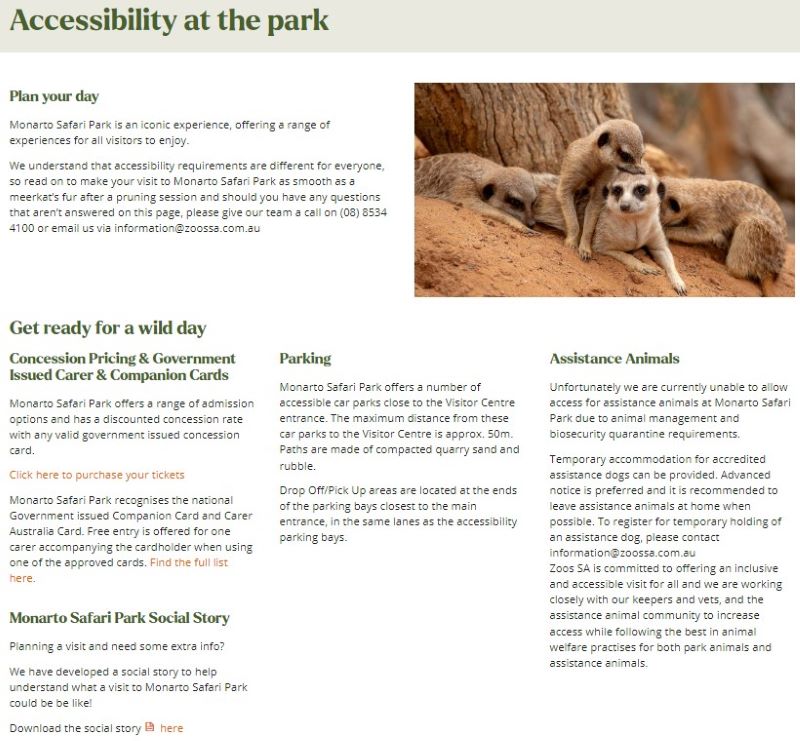
- The Monarto Safari Park has done a great job breaking down barriers on their accessibility page by creating sections outlining accessibility information for key concerns such as parking, carer and concession rates, service animals, and areas suitable for people with differing needs such as mobility and sensory concerns.
- The LARC has also created a simple yet effective page that outlines accessibility information for their tours.
Make accessibility content easy to find on your website
Now that you have detailed the overall accessibility of your business, it is important to also ensure this information is easy to find on each of your product or services pages. The easiest way to achieve this is to add accessibility information and a link to your accessibility page at the bottom of each of these pages.
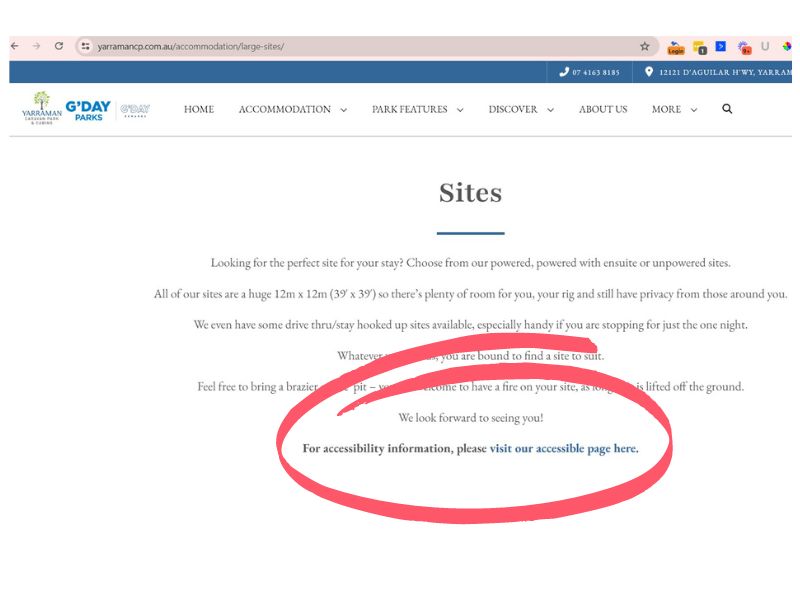
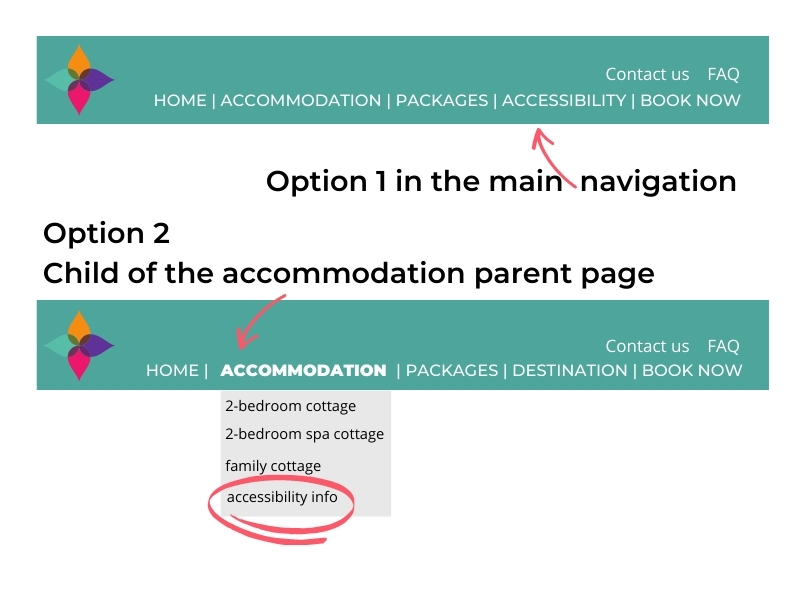
Add accessibility page to navigation menu
Add this page to your navigation menu or if you have run out of room, we recommend you add it as a child (sub-menu item) of your main product page.
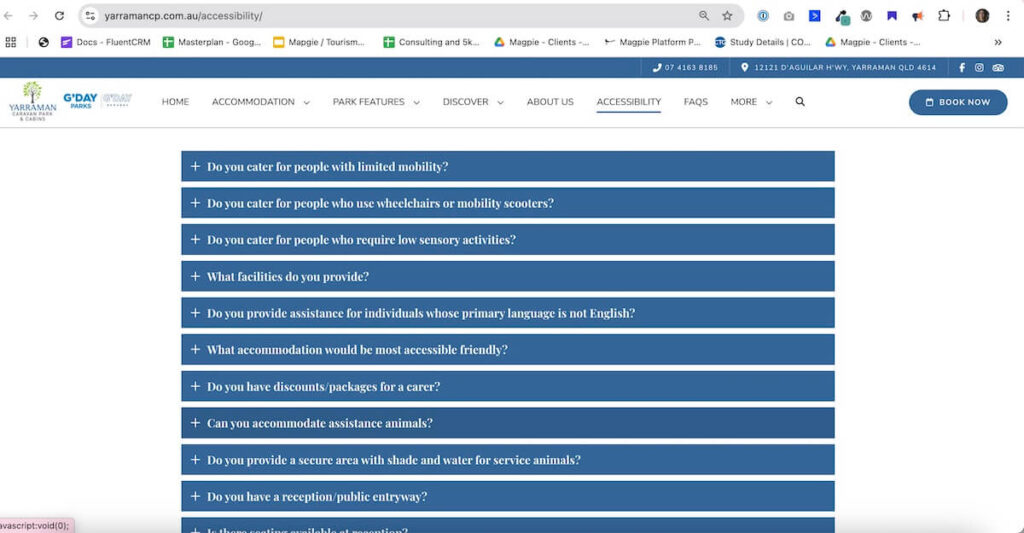
Example of accessibility FAQs on a tourism accommodation website
The Yarraman Caravan Park website has ensured they have added accessibility FAQs to their accessibility and FAQ pages. Tip: ensure the FAQ widget you use has got the built in FAQ schema.
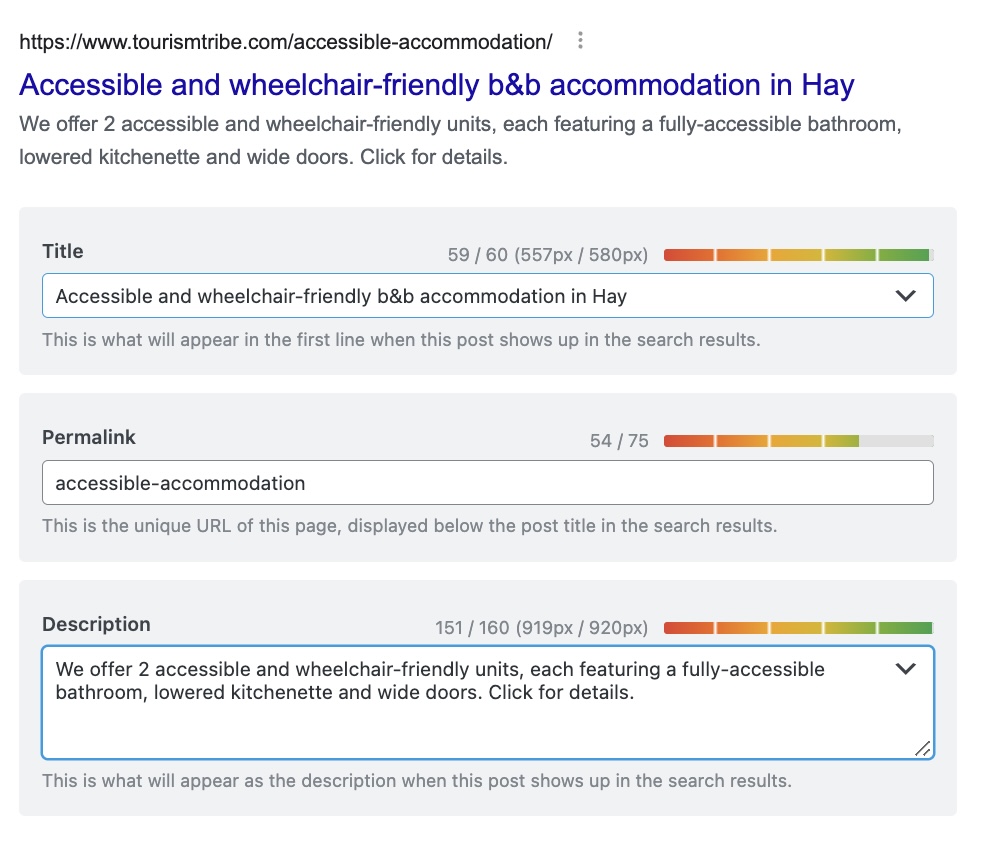
Optimise accessibility page for SEO and AI
Great example of accommodation business in Hay having optimised their page title and description for accessibility. This is a must do for SEO and AI
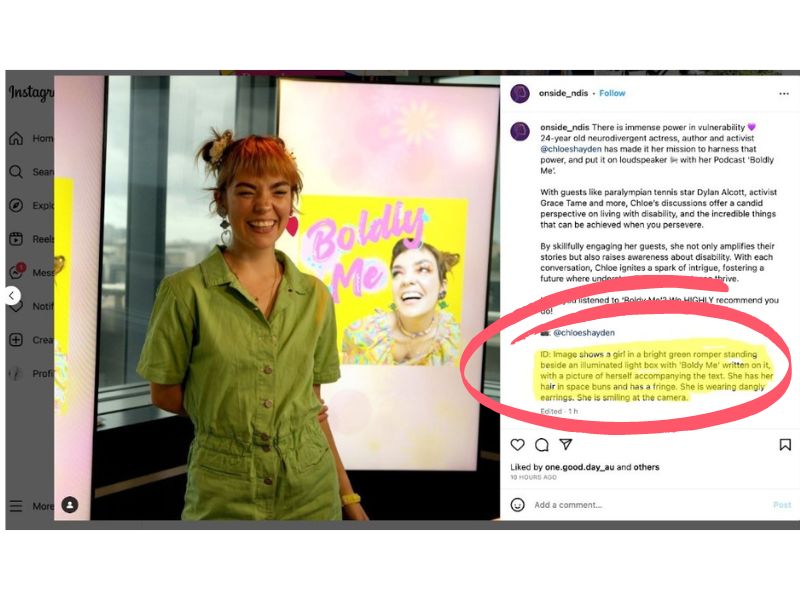
Best-practice of accessibility in social media
Universal alternative text (alt text):
Including a description of your image within the content of your social media post is known as universal alt text and can improve accessibility for those needing screen readers and text sizing.
How travellers use AI to find accessible experiences
More travellers now ask AI assistants accessibility questions directly: “wheelchair-accessible tours near me”, “step-free hotels in this town”, “places that cater for vision-impaired guests”. AI can only surface you for those questions if the answer exists somewhere it can read. If your accessibility detail lives only in a brochure or in your head, you are invisible to a set of travellers who are actively choosing where to spend.
There are two places AI reads this. The first is the text on your site. The second is the accessibility attributes on your Google Business Profile, which Google’s AI filters on directly, so tick those as well as writing the detail on your website.
Use the words travellers actually search
Accessibility is broader than wheelchairs. Include detail for guests who are vision or hearing impaired, and families with young children. Use the exact words people search, such as “wheelchair”, “step-free”, and “hearing loop”, so an on-site search and an assistant both return useful results. List honestly what is accessible and what is not, so guests can plan.
Frequently Asked Questions
Where should I put my accessibility information?
Best is a dedicated “Accessibility” page linked from your main menu, or the detail set out next to each room or tour. An FAQ works too. The point is that it is readable text an assistant can find, not tucked inside a brochure or a PDF.
Do I need to fill in the accessibility fields on my Google Business Profile?
Yes. Google’s AI filters searches on those attributes directly, so a traveller asking for step-free options can be shown you only if you have ticked them. It takes a few minutes in your Business Profile.
What words should I actually use on the page?
The ones travellers type: “wheelchair”, “step-free”, “accessible bathroom”, “hearing loop”. Plain, specific words let an on-site search and an AI assistant match your page to the question being asked.
Should I list what is not accessible too?
Yes. Honest detail lets guests plan and builds trust. Saying “the upstairs deck is reached by stairs only” is more useful than silence, and it prevents a bad experience on the day.
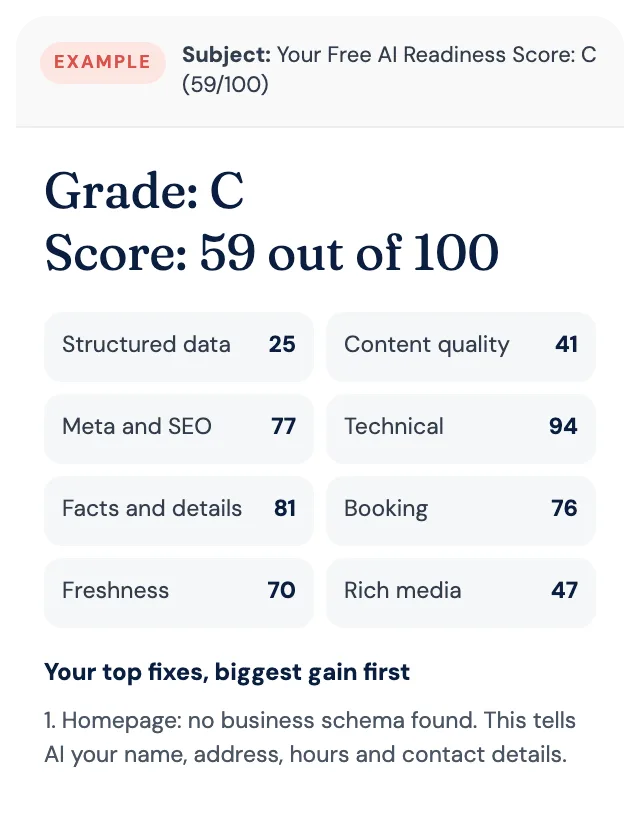
Free AI Readiness Score
How well does AI read your website?
Get your grade, a score out of 100 and your top fixes, by email. Free for tourism operators. No login and nothing to install.