

This article looks at best practices video content for the tourism industry and shows many different video types tourism businesses could use. We keep it up to date based on what we see during our workshops, presentations and interactions with clients.
Explainer videos – break it down for them
Explainer videos simplify complex ideas or processes using animation or motion graphics. Think of them as your go-to for storytelling with purpose: short, sharp, and easy to digest.
Best for: Millennials and Gen Z who love bite-sized clarity
Use it when: You need to explain how something works or what your business does in under 90 seconds.
Product demonstrations: show, don’t tell
A product or experience demo shows your audience exactly what to expect. For tourism, this could be a guided walkthrough of your farm tour, kayak adventure, or glamping setup.
Best for: Potential customers in the “I’m curious” phase
Use it when: Your offer has features that are best seen, not just read about.
Testimonials & Case studies: let your guests do the talking
Let your happy customers be your best marketing tool. Real people sharing real experiences builds instant trust, especially for those doing their research before booking.
Best for: All demographics (especially older ones) who value word-of-mouth
Use it when: You need credibility, or want to showcase a specific success story.
Brand stories: share your why
Your story matters. Video lets you take your audience on the journey: why you started, what you believe in, and the heart behind your business.
Best for: Values-driven audiences (hello Gen Z and millennials)
Use it when: You want to humanise your business or build loyalty.
How-to tutorials: teach a skill, build authority
Tutorials make you the expert. Show guests how to paddle, prep for a hike, or brew the perfect coffee in your café.
Best for: Curious minds seeking practical info
Use it when: You want to educate while building trust.
Live videos: be in the moment
Live video is raw, real, and perfect for connecting. Whether it’s a live Q&A or an event stream, it makes people feel like they’re part of something.
Best for: Social-savvy users who love interaction
Use it when: You’ve got something worth tuning in for: events, announcements, or behind-the-scenes.
Short-form videos: fast, fun, and shareable
Reels, TikToks, YouTube Shorts. They’re quick, punchy, and ideal for reaching a broader (and younger) audience.
Best for: all!
Use it when: You want to stay visible and relevant on social media.
Storytelling videos: episodic and emotional
Use platforms like Instagram Stories or Facebook Stories to create a narrative over time. Whether it’s the story of a rescue animal or your morning ritual at the farm, these snippets build familiarity.
Best for: Millennials and Gen Z who crave deeper connection
Use it when: You want to turn moments into a mini-series.
E.g. https://www.instagram.com/stories/highlights/17898750719434107/
User-generated content (UGC): let them share the love
Encourage guests to film and share their own experience. It’s social proof and content gold in one go.
Best for: All ages, because people love sharing
Use it when: You want fresh content and community engagement without lifting a finger.👉 Watch example: Olive View Estate
Behind-the-scenes: real life, real business
Show your messy, human side. Setting up a picnic, wrangling the kids, laughing with your team. It builds trust and relatability.
Best for: Anyone who wants to feel connected to the people behind the brand
Use it when: You want to deepen relationships and show your authentic self.
Final tip: match the medium to the moment
The real magic? Choosing the right type of video content for the right stage of the customer journey. Use explainer videos to attract, testimonials to convert, and behind-the-scenes content to retain.
Want to up your game? Use analytics and A/B testing to see what hits home
What embedded video does for your AI discoverability
An AI assistant cannot watch a video. The value to AI is the text around it: the embed plus a caption, a short description, or a transcript. A page with a video and a few lines describing it reads as an experience-rich page and gives an assistant quotable words to work with.
Embed the video so it plays on your own page, rather than only linking out to YouTube. A bare link sends the visitor away and leaves nothing on your page for AI to read. So a video earns its place twice: it persuades the human, and the words you wrap around it feed the machine.
How to make a video work for both
Add a video block to your homepage or a key product page and paste in the embed code so it plays inline. Underneath, add a one-line caption and a short paragraph describing what the video shows. For your most important videos, add a transcript as well, which gives AI more words to quote.
Frequently Asked Questions
If AI cannot watch my video, why should I bother embedding one?
The video sells to people, and the words around it sell to AI. A caption, a short description, or a transcript beside an embedded video gives an assistant text it can read and quote, while the video itself lifts your booking rate.
Is a link to my YouTube channel good enough?
No. A bare link sends visitors away and leaves nothing on your own page for AI to read. Embed the video so it plays on the page, and add a line or two of text describing it.
Where should I put the video?
On your homepage or a key product page, high enough that visitors see it without hunting. Pair it with a caption and a short description so both the visitor and AI get the point quickly.
Do I need a full transcript?
It helps but is not essential. A caption and a short written description already give AI text to read. A transcript adds more quotable words, so it is worth doing for your most important videos.
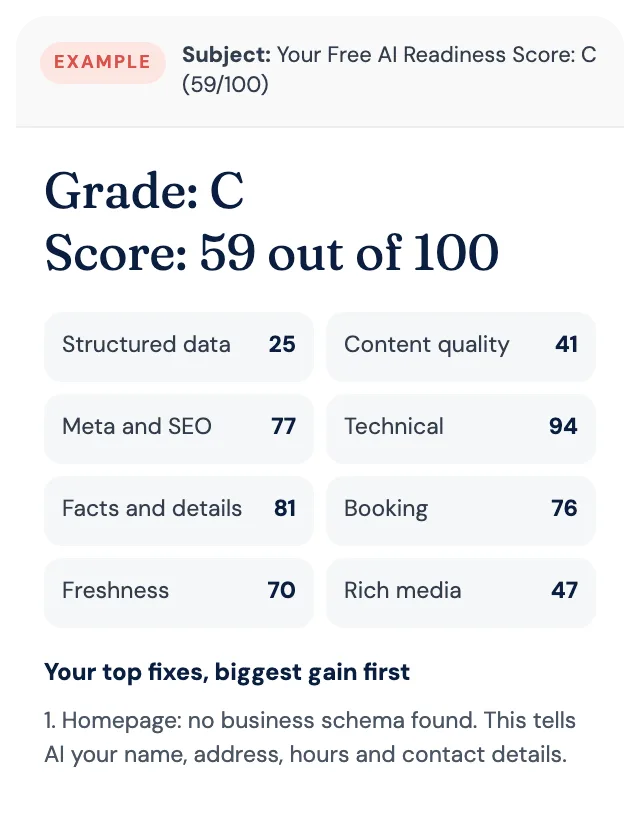
Free AI Readiness Score
How well does AI read your website?
Get your grade, a score out of 100 and your top fixes, by email. Free for tourism operators. No login and nothing to install.